


 01
01Supremacy Workflow Automation
The back office, running itself
Supremacy automates the work that moves between inboxes, spreadsheets, and six different systems — documents, approvals, data entry, and handovers — on durable orchestration, so a process finishes even when something fails halfway.
Built for finance, HR, and operations teams clearing manual queues
01Overview
AutomationMost back-office cost sits in a handful of processes nobody owns end to end: a shared inbox, a monthly reconciliation, an onboarding checklist held together by reminders. We map them, instrument them, and automate the path — including the exceptions.
01/ 03
Automation
Start where the manual hours actually are
Most back-office cost sits in a handful of processes nobody owns end to end: a shared inbox, a monthly reconciliation, an onboarding checklist held together by reminders. We map them, instrument them, and automate the path — including the exceptions.
- 01
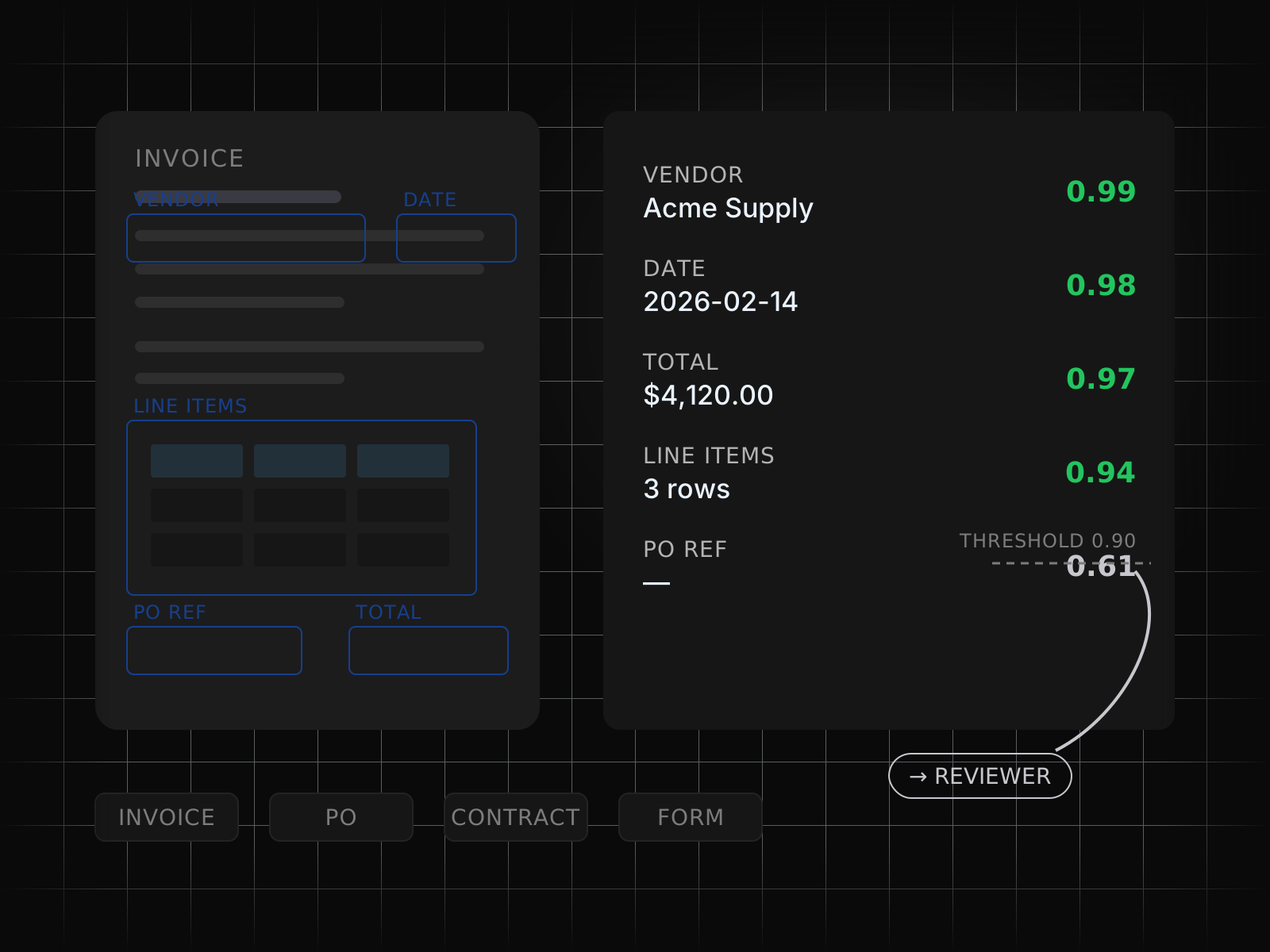
Documents in, structured data out
Invoices, purchase orders, contracts, and forms are parsed with layout-aware extraction and a model on the ambiguous fields, with confidence thresholds routing anything unclear to a person.
- 02
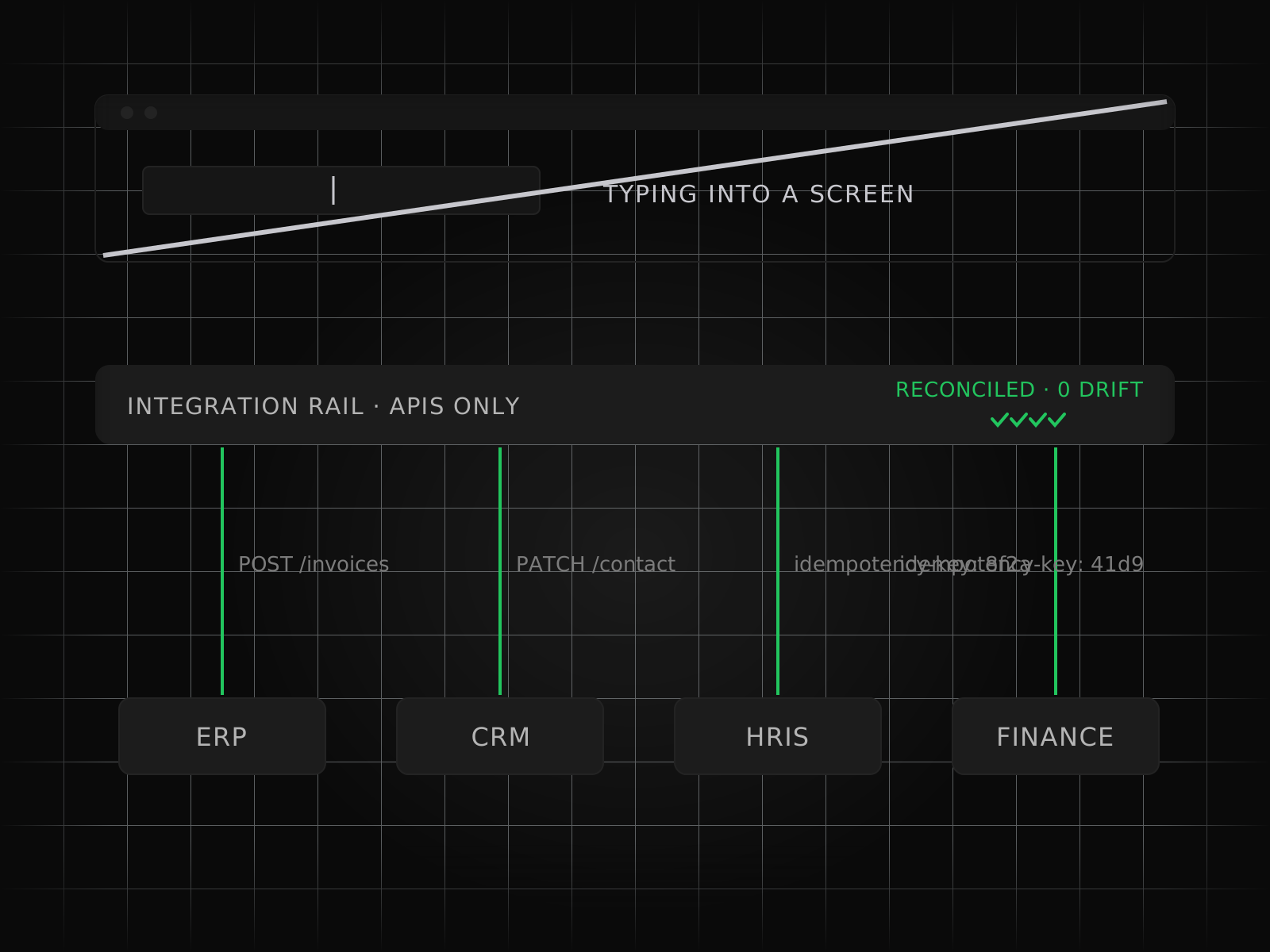
Systems connected properly
Your ERP, CRM, HRIS, and finance tools are integrated over their APIs with idempotent writes and reconciliation, rather than a bot typing into a screen and hoping the layout holds.
- 03
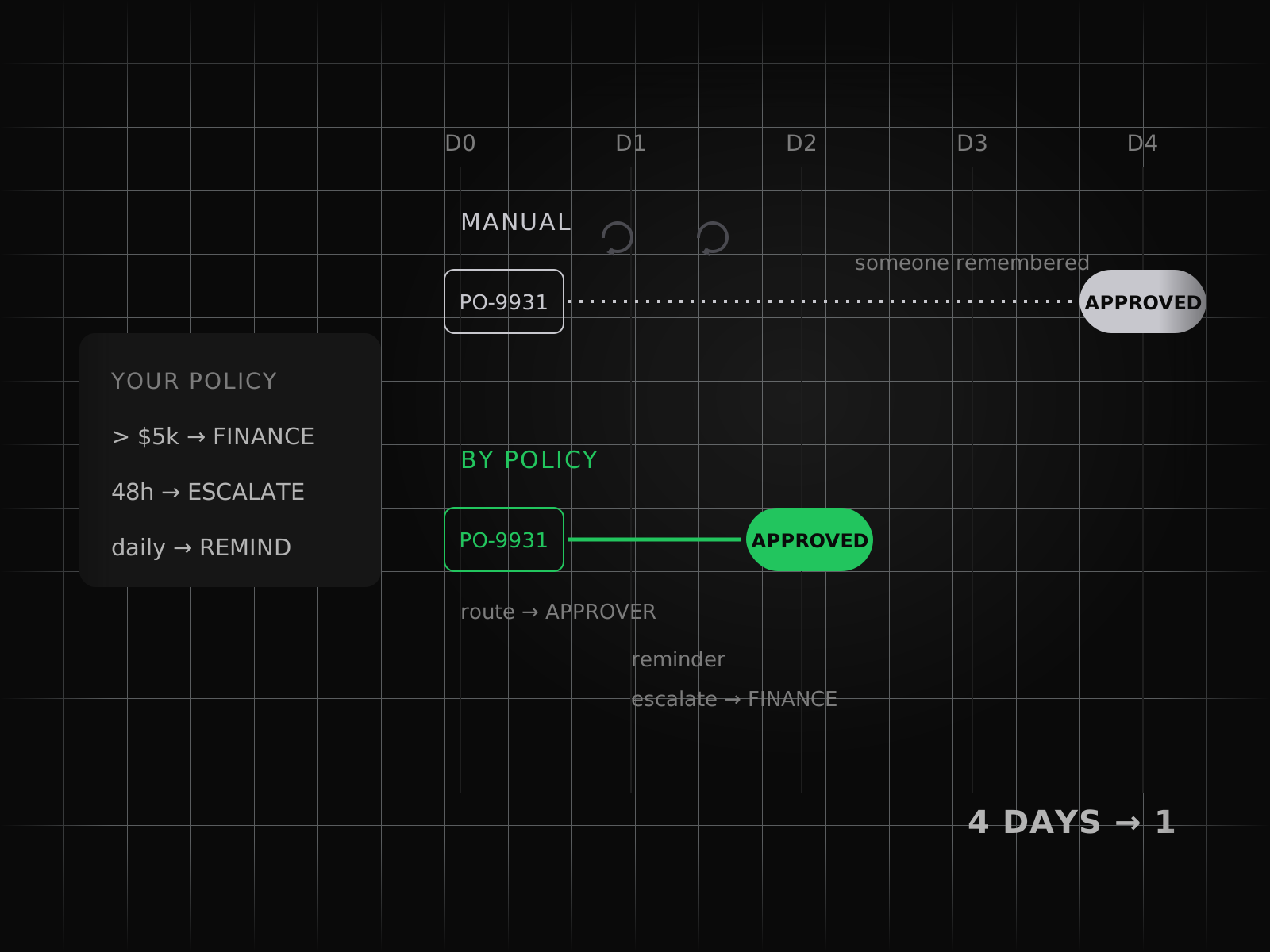
Approvals that move by themselves
Routing, escalation, and reminders follow your policy, so an approval waits on a decision instead of waiting on somebody remembering to chase it.
- 04
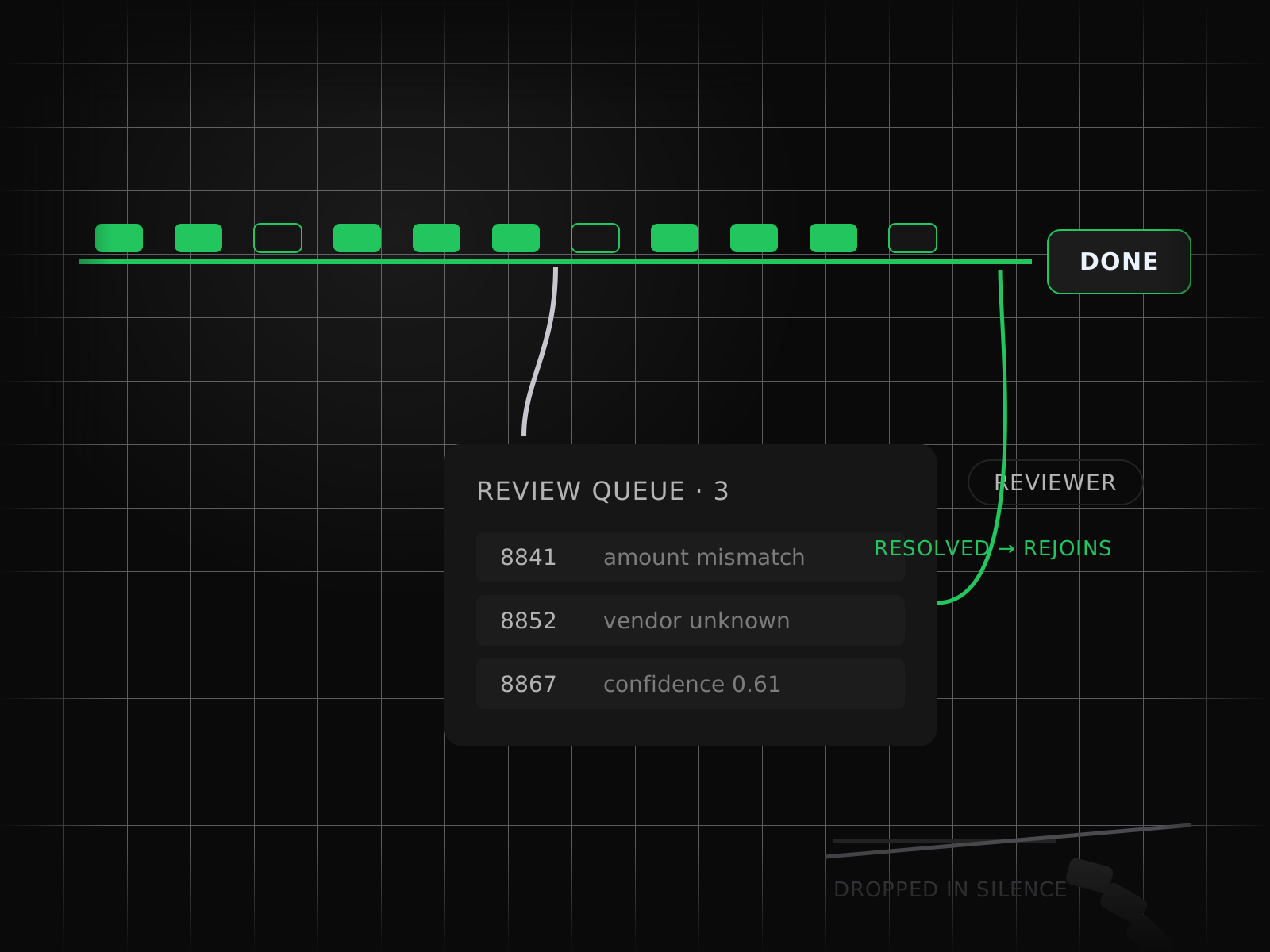
Exceptions as a first-class path
Every workflow has a defined review queue for what does not match, so edge cases get resolved by a person on purpose rather than dropped in silence.
02/ 03
Durability
Processes that survive the things that go wrong
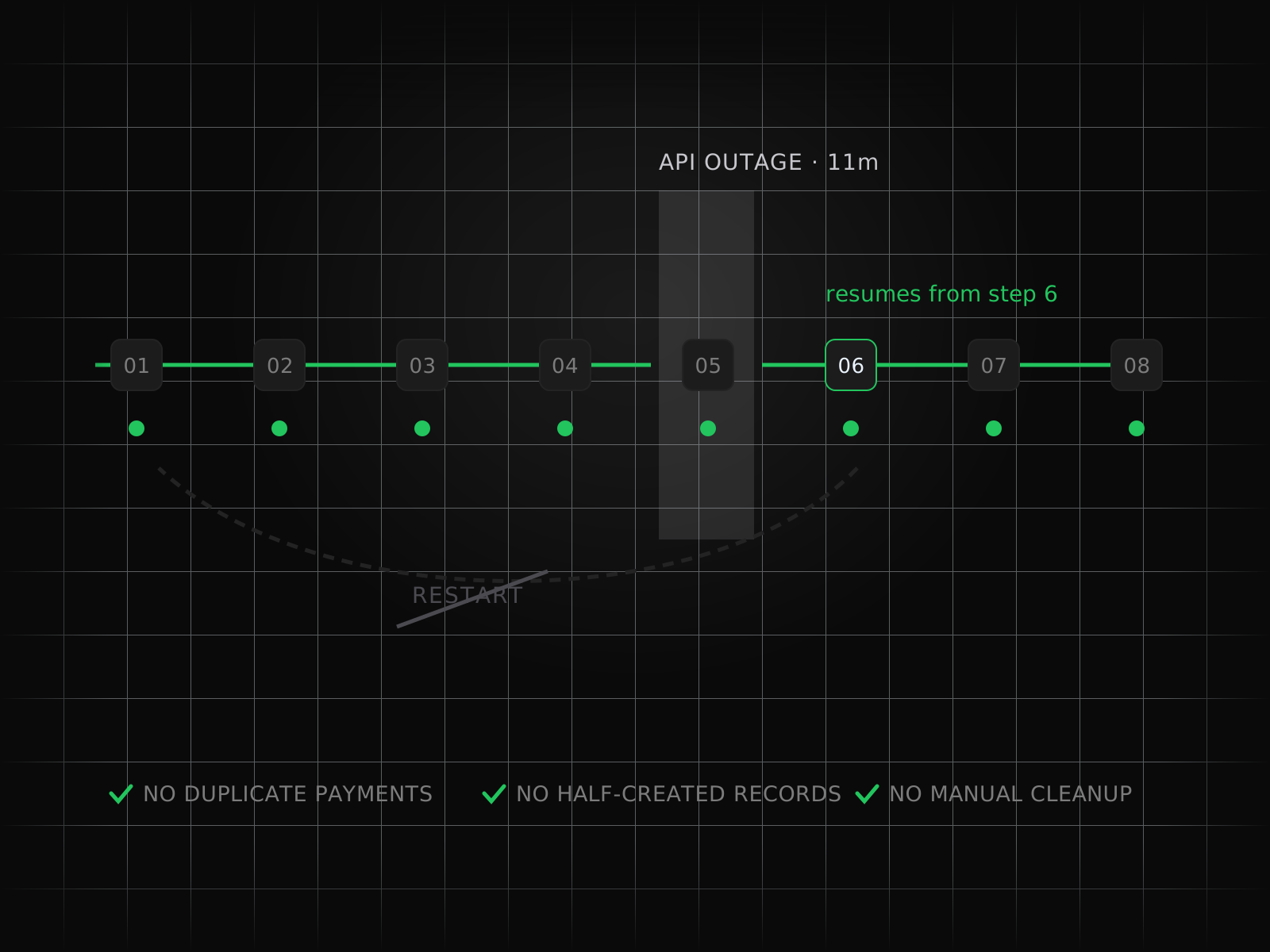
A workflow that half-completes is worse than one that never ran at all. We build on durable execution, so a crashed worker, an API outage, or a rate limit resumes exactly where it stopped instead of leaving somebody to reconstruct the damage.
- 05
Durable execution underneath
Long-running processes are checkpointed at every step, so an outage mid-run resumes from that step — no duplicate payments, no half-created records, no manual cleanup.
- 06
Idempotency by design
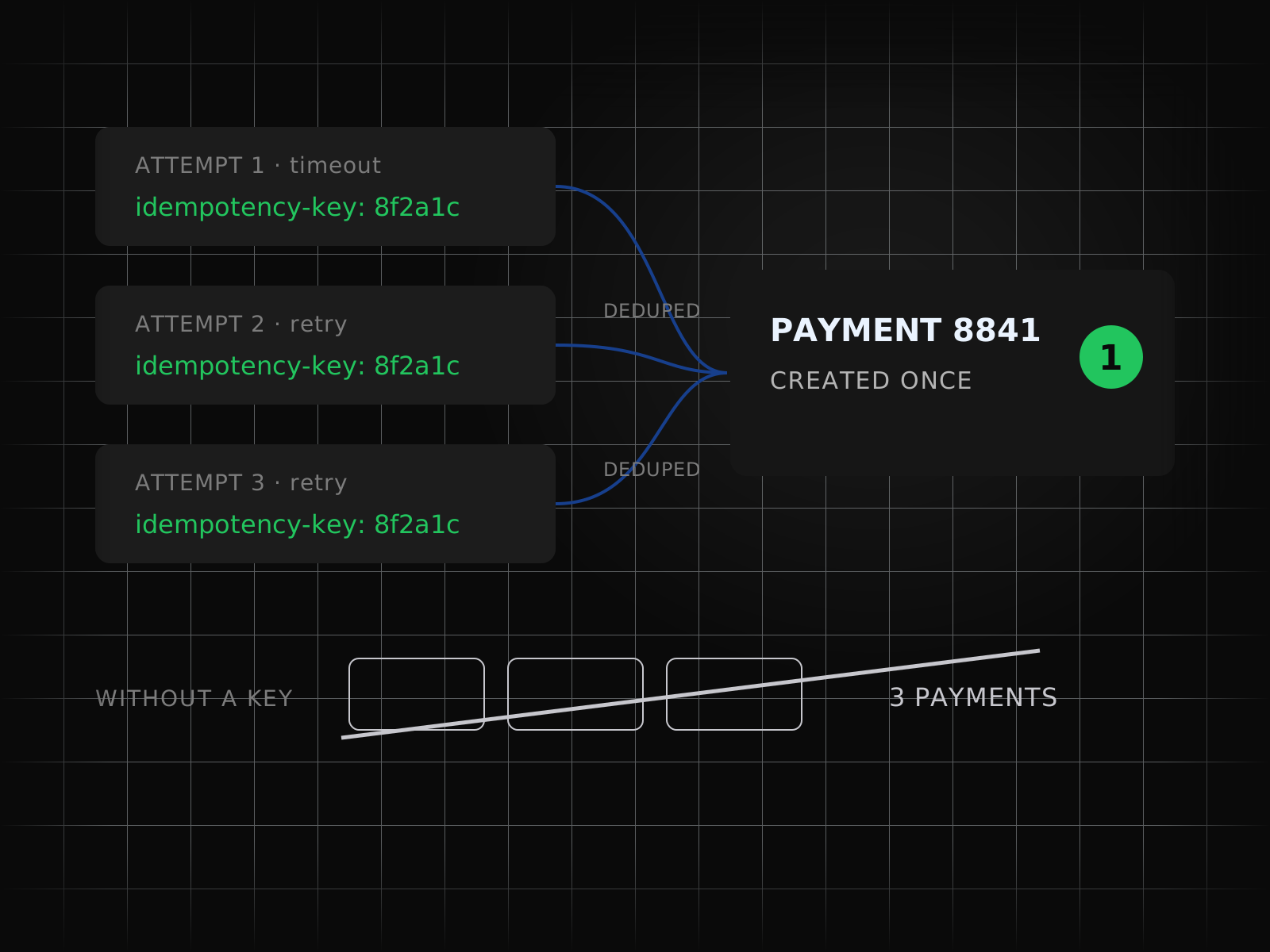
Every write is safe to repeat, which is what makes automatic recovery a feature rather than a second incident.
- 07
One view of every run
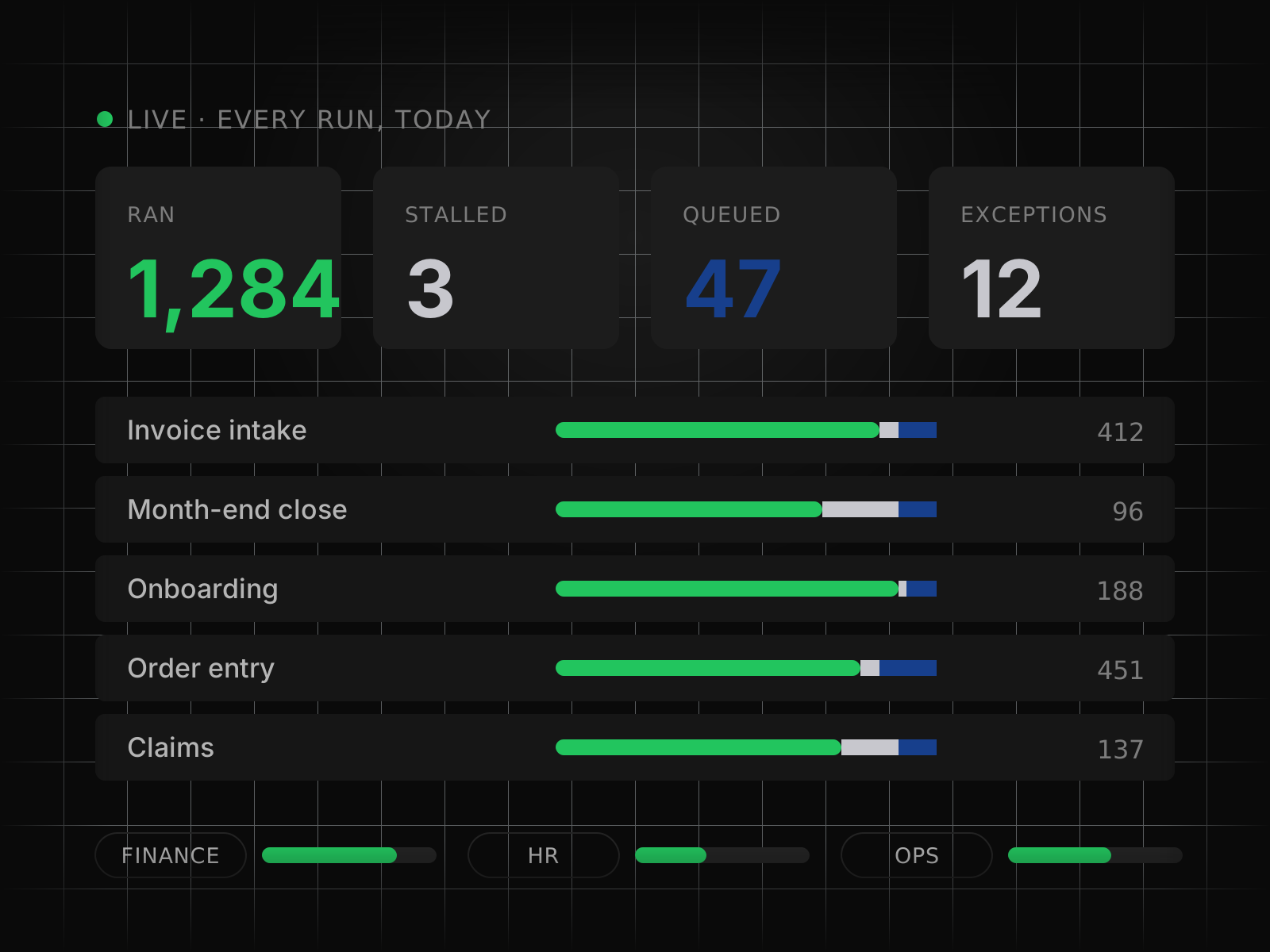
Live dashboards show what ran, what stalled, what is queued, and which exceptions need attention, broken down per process and per team.
- 08
Hours reclaimed, measured
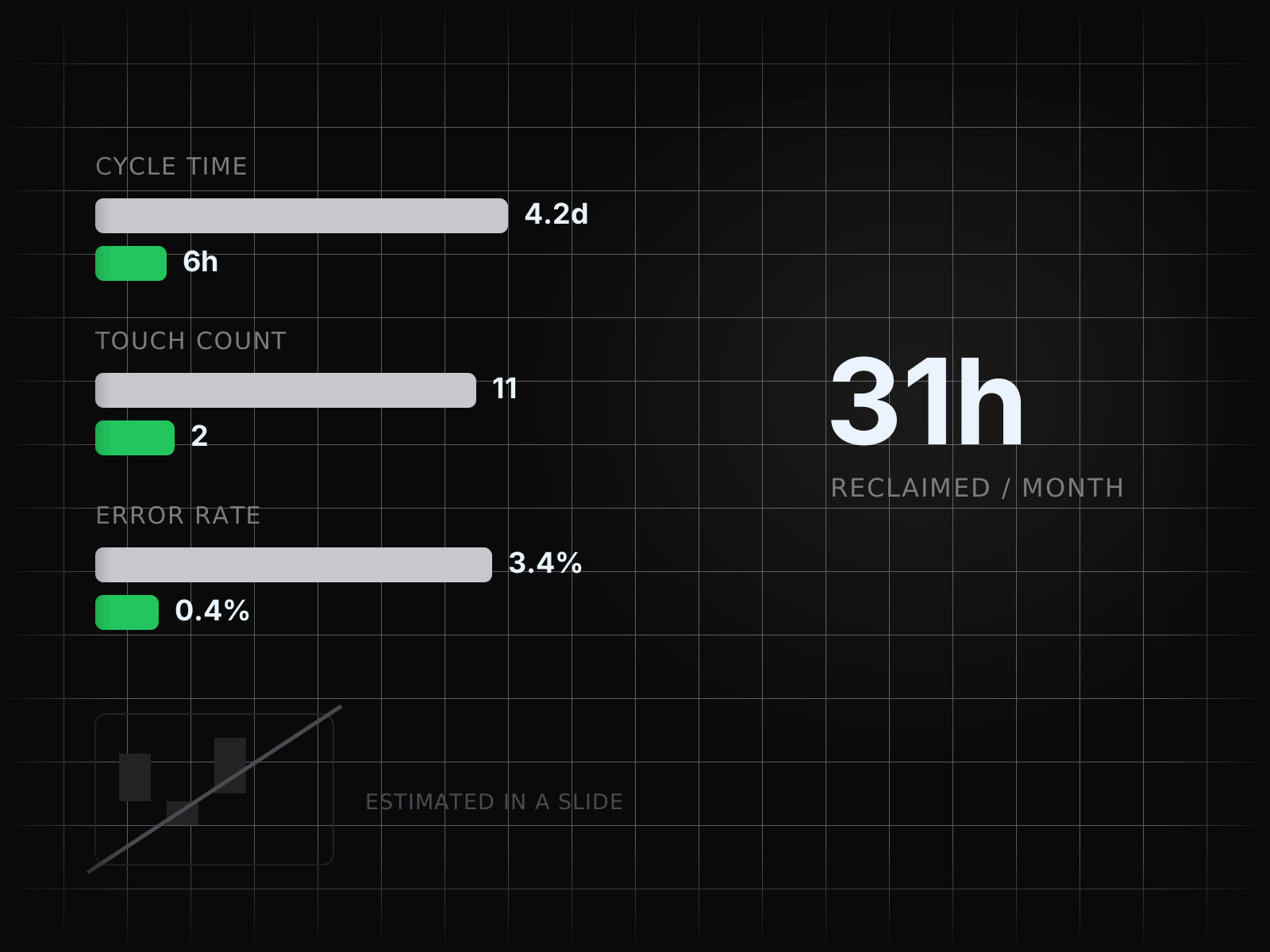
Cycle time, touch count, and error rate are tracked before and after, so the business case is a live number on a dashboard instead of an estimate in a slide.
03/ 03
Custom Automation
Automation designed around one specific workflow
Off-the-shelf automation covers the process everyone has. Custom automation covers the one that makes you money. We map your workflow as it really runs — exceptions, approvals, the spreadsheet in the middle — then build the automation around it, with a model on the steps that need judgement.
- 09
Process mapped before anything is built
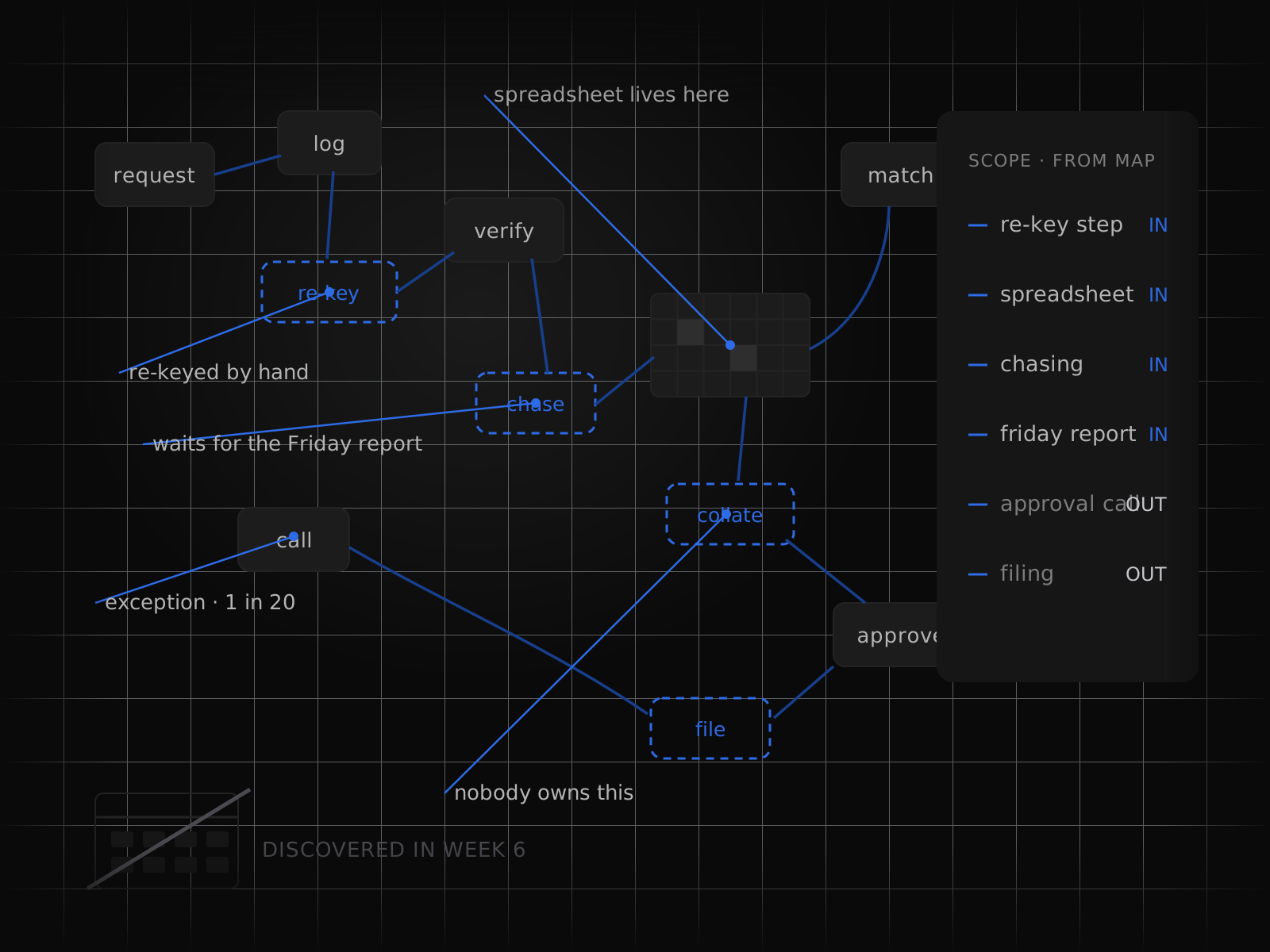
We watch the work happen and write down the actual path, including the informal steps. Scope comes out of that map, so nothing critical is discovered in week six.
- 10
No platform ceiling
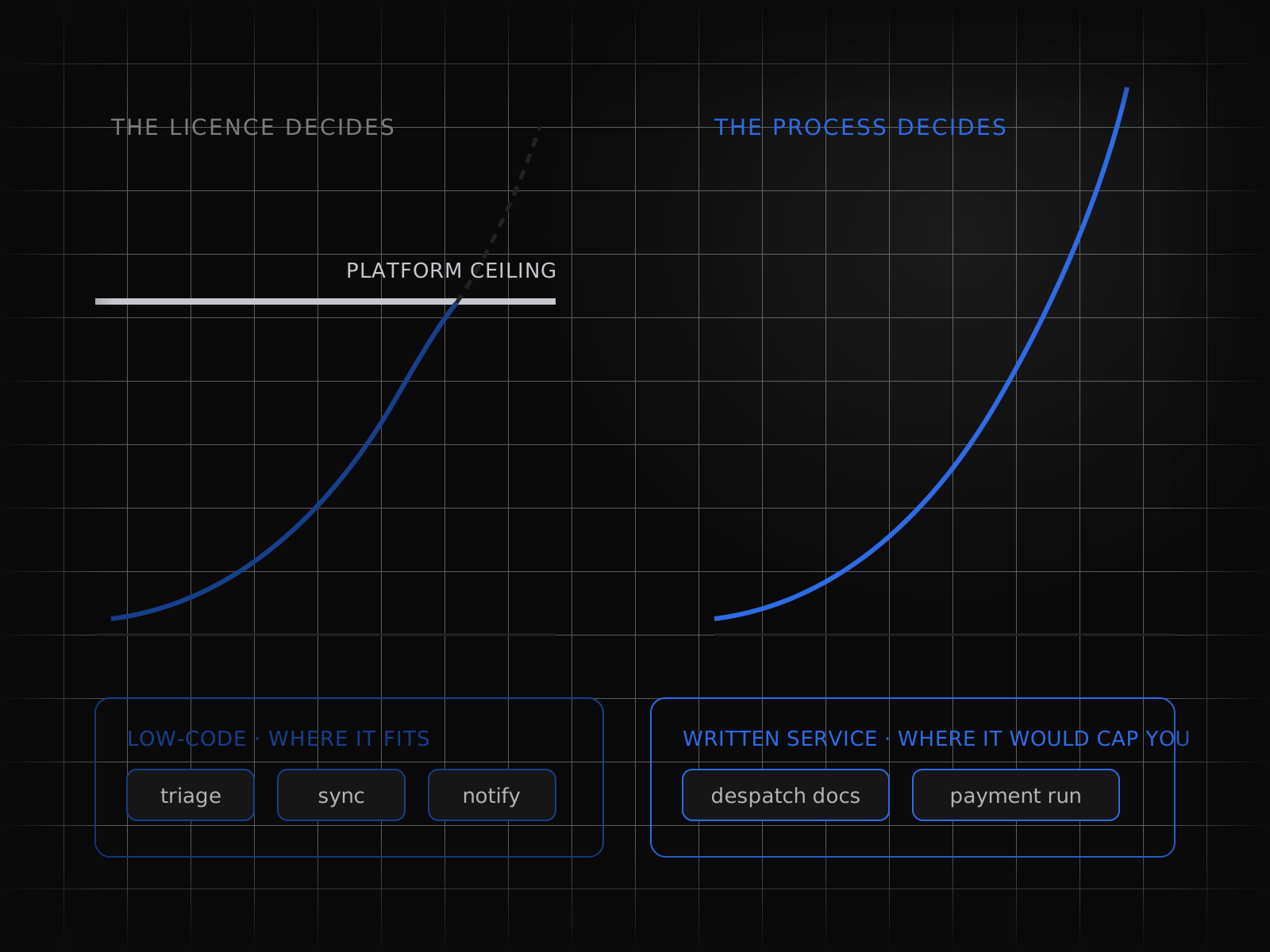
Where a low-code tool fits we use it; where it would cap you we write the service. The process decides the tooling instead of the licence deciding the process.
- 11
Exceptions designed, not deferred
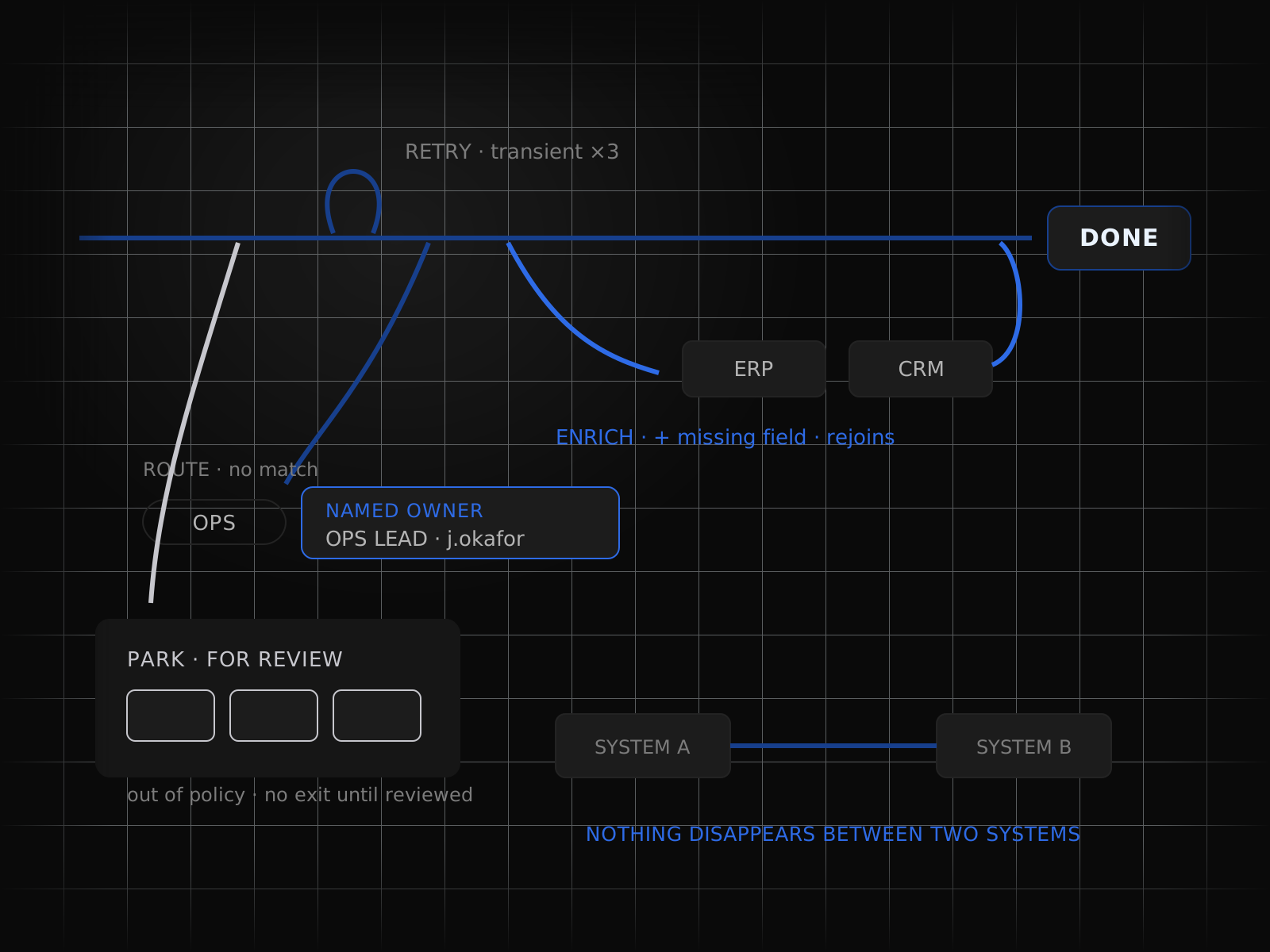
Every branch has a defined outcome — retry, enrich, route to a named person, or park for review — so nothing disappears between two systems.
- 12
Runs unattended, reports honestly
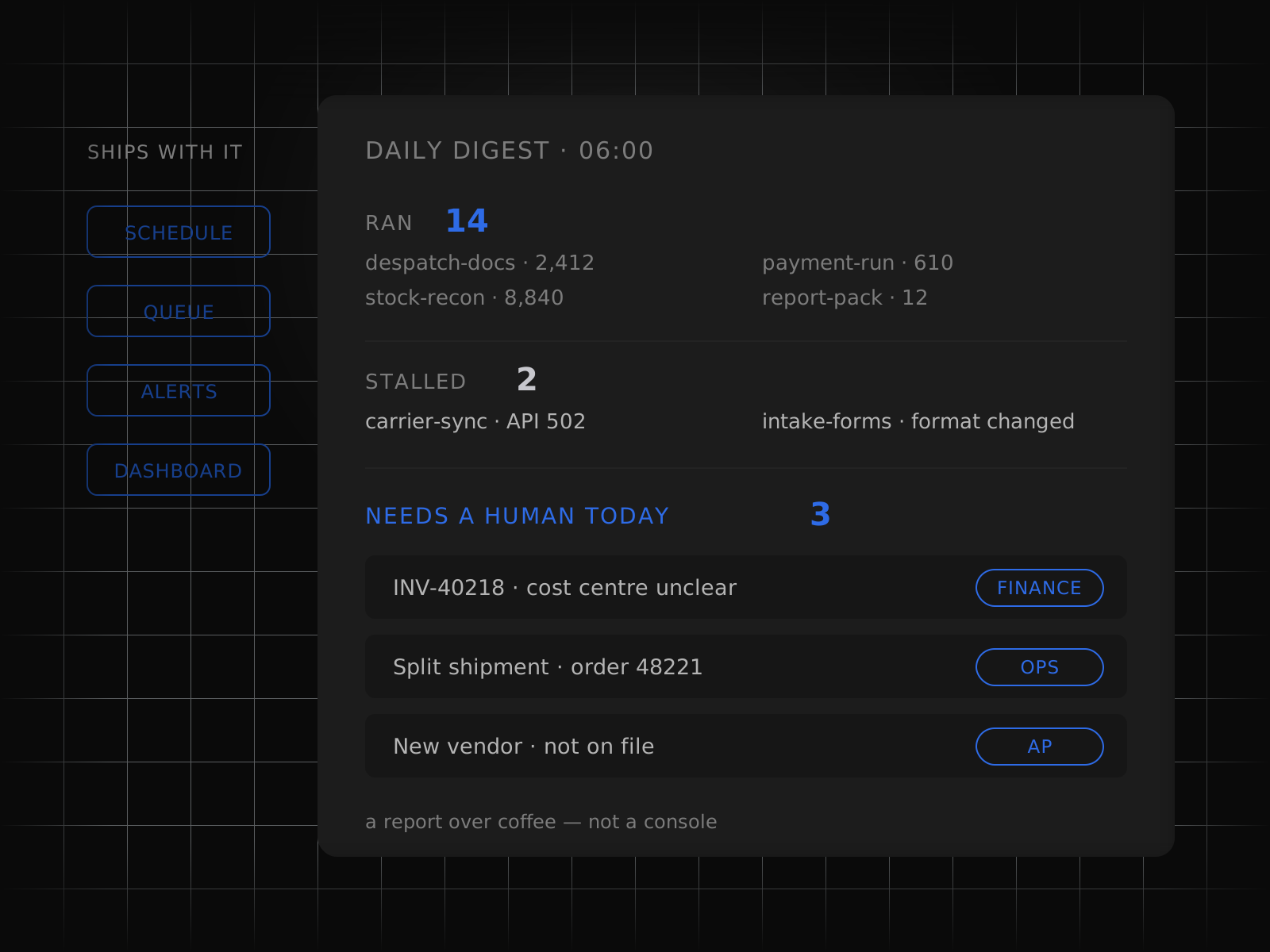
Schedules, queues, alerts and dashboards ship with the automation, so the team knows what ran, what stalled, and what needs a human today.
At a glance
Every capability, at a glance
12 figures, one per capability. Open any to read it in full.
How it runs
From first call to running unattended
Every engagement runs the same five steps, whatever the service.
- 01
Map the process
We sit with the people who do the work today and write down every step, exception and hand-off before anything is built.
- 02
Build against a golden set
A held-out set of real cases, agreed with you, is the bar each build has to clear before it goes anywhere near production.
- 03
Run beside the team
The system runs in parallel with the team for as long as it takes, and every disagreement between them is reviewed together.
- 04
Hand over the keys
The code, the prompts, the evaluation set and the runbooks are handed over in your accounts, under your keys.
- 05
Keep it running
We watch the runs, retrain and repair as the inputs drift, or train your own team to do the same.
Outcomes
What this looks like when it lands.
01 Month-end close from a long weekend to a Tuesday afternoon
Automated matching cleared the routine reconciliations and left finance with a ranked exception queue, taking three days out of the close without adding a single headcount.
02 A shared inbox that files, routes, and answers itself
Incoming requests are classified, enriched from the CRM, and either actioned or routed with a draft reply attached, cutting first-response time while keeping a person on every outbound message.
03 Onboarding that completes without anyone chasing it
Accounts, equipment, payroll, and access requests now run as one durable workflow across five systems, so a new starter is ready on day one and HR stops living in a checklist.



Details
On the spec sheet.
- Service
- Office & Workflow Automation
- Group
- Agents & automation
- Capabilities
- 12
- Engagement
- Map, build, run beside the team, hand over, keep running
- Ownership
- Your accounts, your keys, your region
- Case studies
- Demand forecasting, prep sheets and supplier orders, Supplier catalogue onboarding and enrichment, Supplier invoices, inbox to posted ledger entry, Maintenance: alarms and notes to planned work, Weekly production scheduling with a solver, Customer purchase orders into ERP sales orders, Contractor timesheets and compliance files, Shipment exception handling at a 3PL, Cashless pre-authorisation packets, Motor claims first notice of loss and triage, Periodic KYC re-verification, Admissions document processing
FAQs
Asked before signing.
What kinds of processes are worth automating first?
High-volume, rules-heavy work with a clear trigger and a cost you can already name: invoice processing, order entry, reconciliations, onboarding and offboarding, claims intake, recurring report assembly. We start with one, measure it, and use the result to scope the next.
Do you build on a platform or write custom code?
Both, split on risk. Low-stakes app-to-app connections run on n8n or whichever automation platform you already own; anything where a half-finished run causes financial or compliance damage runs on durable execution with Temporal.
How do you handle documents that do not follow a template?
Layout-aware extraction handles the structure, and a language model reads the fields that vary. Every extraction carries a confidence score, and anything below your threshold goes to a review queue rather than into your ERP unchecked.
What happens when a source system changes?
We integrate over APIs wherever one exists, which is far more stable than screen automation. Where a legacy application leaves no option, the UI layer is isolated behind a single adapter so a change breaks one component instead of the whole fleet.
How do you prove the return?
Each process is instrumented for cycle time, touch count, error rate, and hours reclaimed, captured before automation and tracked live afterwards. The business case is reported on a dashboard, not estimated in a spreadsheet at year end.