people

Payroll that postsitself to the books.

Payroll reads attendance, leave and pay structures from the employee record, applies the rules for each entity's country, and posts the result to the ledger by cost centre. The filings follow from the same run.

attendance → pay run → payslip → journal → filing

Payroll · Overview

A pay run is a set of ledger entries, and the software treats it that way.

THE PROBLEM

Payroll is usually run in a separate system, or by a provider, from a spreadsheet of inputs that HR assembles by hand. The output comes back as a summary that finance re-keys into the ledger as one lump. Cost by team is a guess, variances are found after the money has left, and the filings are prepared a second time from the same numbers.

HOW SOLONOMOUS DOES IT

Solonomous runs payroll on the employee record and posts the result to the same ledger as everything else. Inputs come from HRMS: pay structures, attendance, leave, joiners, leavers and approved reimbursements. The run applies the tax and statutory rules for each entity's country, shows every variance against the last run, and waits for approval. On approval it releases payslips, generates the bank file and posts the journals by cost centre.

WHAT YOU GET

Finance sees payroll cost by team the moment the run is approved, and nobody re-keys it. Employees get payslips and tax statements from their own login. The filings your country requires are prepared from the run that was paid, not from a copy.

Capabilities

Everything the module does.

9 capabilities

  1. 01

    Pay structures and components

    A pay structure is a set of components — earnings, deductions and employer contributions — with a formula for each. Structures are assigned by grade, position or individual, and a change takes effect from a date. When a structure changes, the next run shows who is affected and by how much.
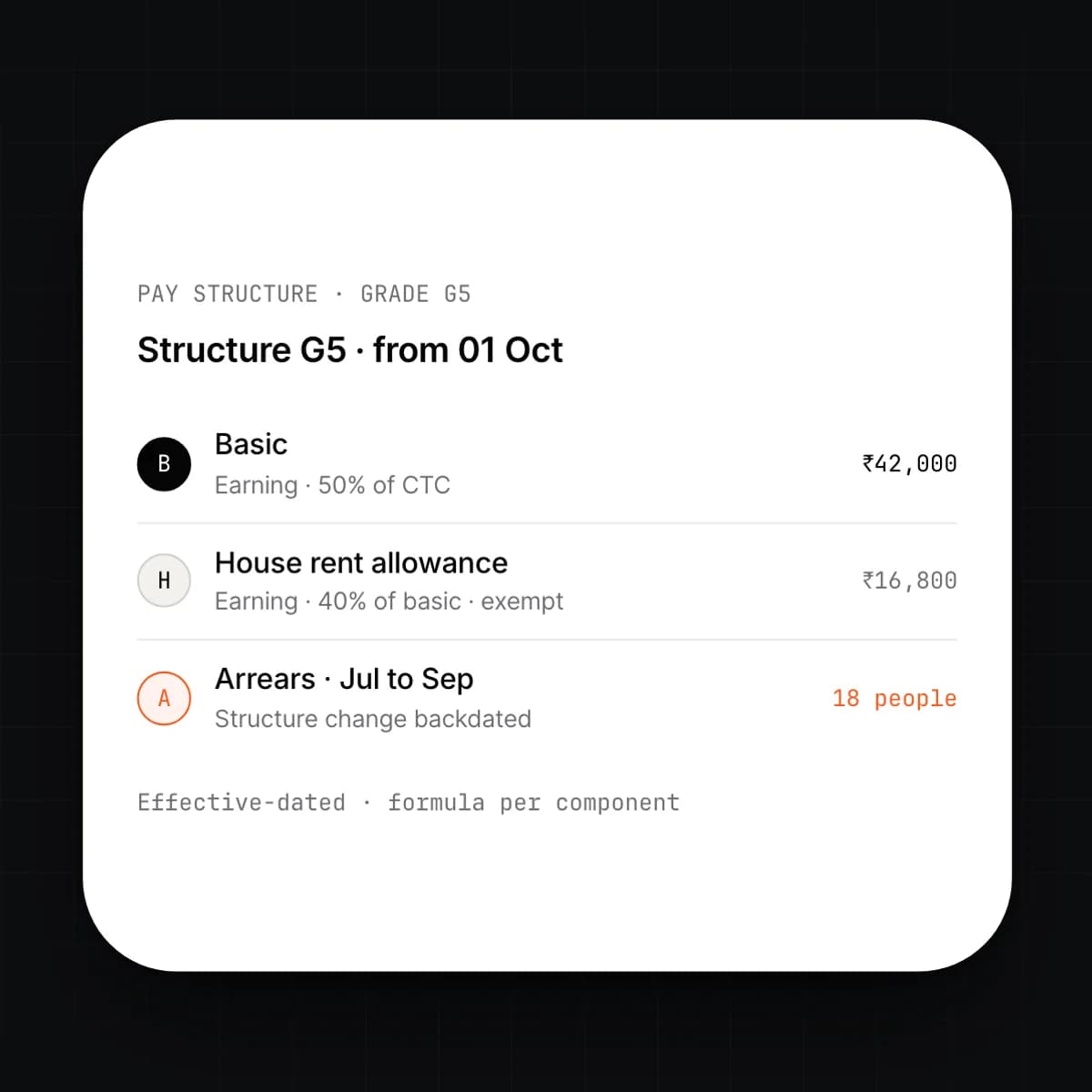
    • Fixed, percentage and formula-based components
    • Structures by grade, entity or position, with individual overrides
    • Effective-dated changes, with arrears computed automatically
    • Taxable, exempt and employer-only components flagged per country
  2. 02

    Country-aware tax rules

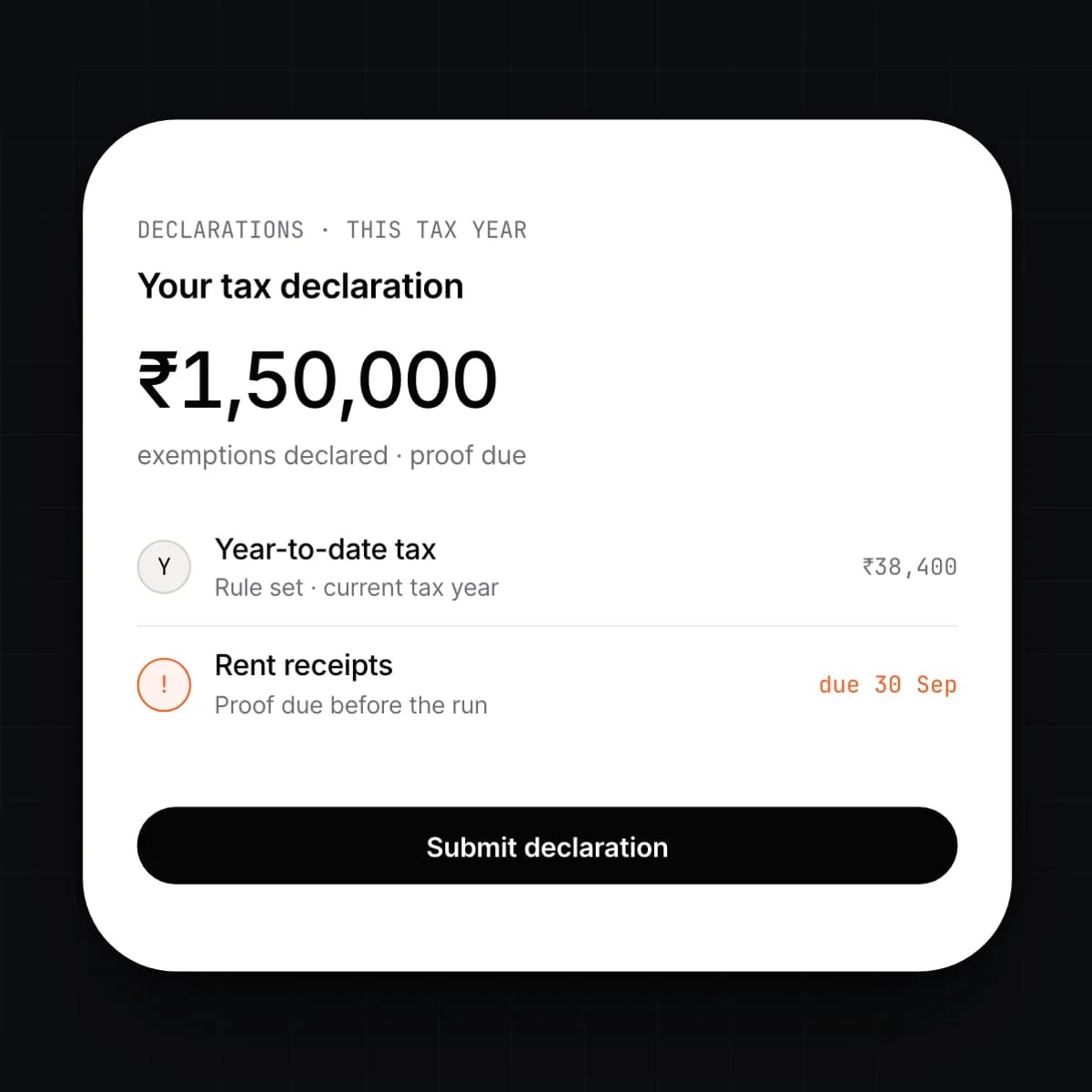
    Each entity runs under the tax and statutory rules of its country, with the rates and thresholds in force on the pay date. Income tax, social contributions and mandatory deductions are computed per person from declared exemptions and year-to-date figures. Rule updates arrive as versioned rule sets, so a past run can always be recomputed under the rules that applied.

    • Rule sets per country and per tax year, versioned
    • Employee declarations collected through self-service
    • Year-to-date tracking for progressive rates and caps
    • Multi-entity groups run each entity under its own rules
  3. 03

    The pay run

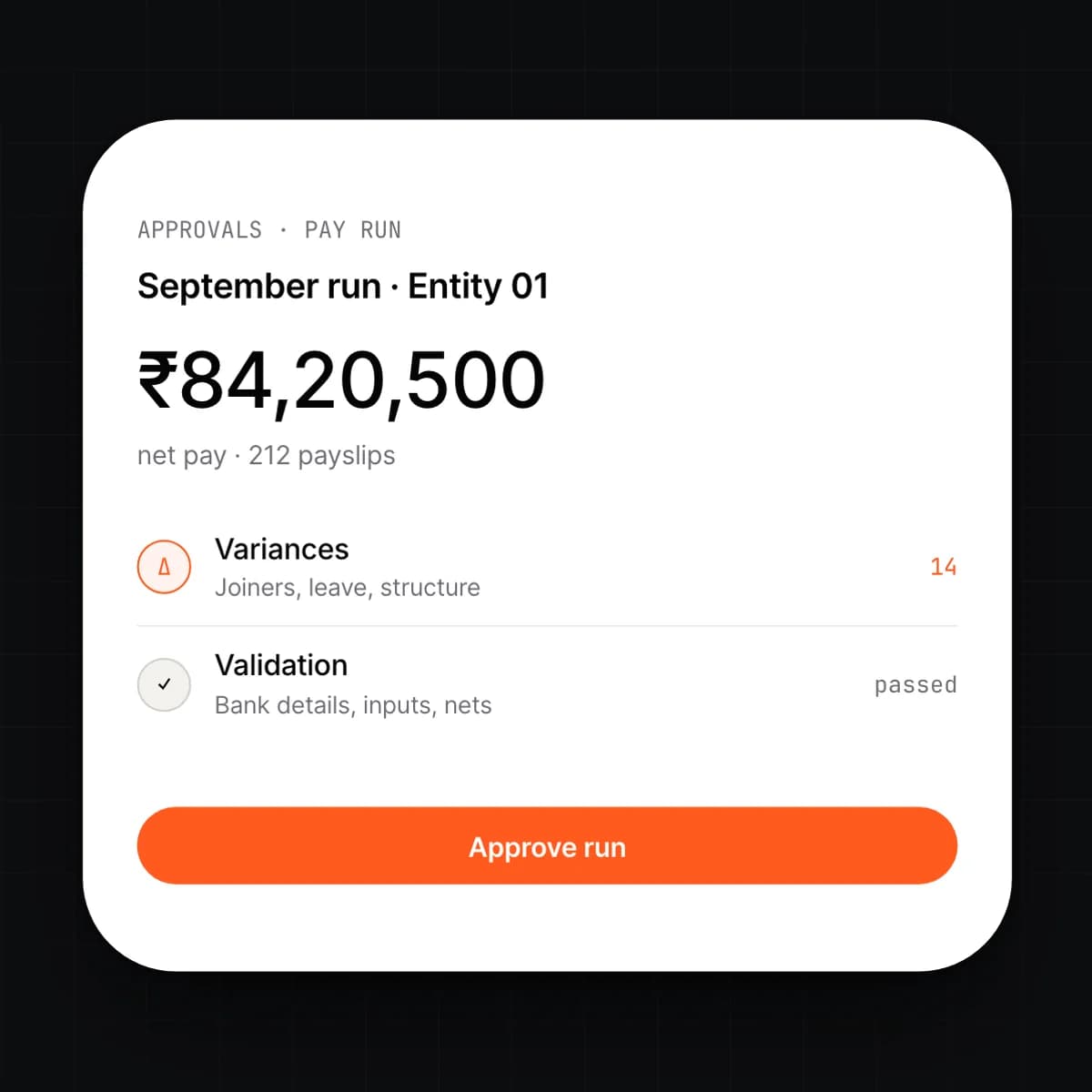
    A run collects inputs for a period, computes every payslip, and shows the result as a preview before anything is paid. Each person's net is compared with the previous run, and any change is explained: a new joiner, a leave deduction, a structure change. Approvers see the variances first, then the totals.

    • Monthly, fortnightly, weekly or off-cycle runs per entity
    • Variance per person against the last run, with the reason
    • Validation before preview: missing bank details, unapproved inputs, negative nets
    • Two-step approval, after which the run locks
  4. 04

    Payslips and filings

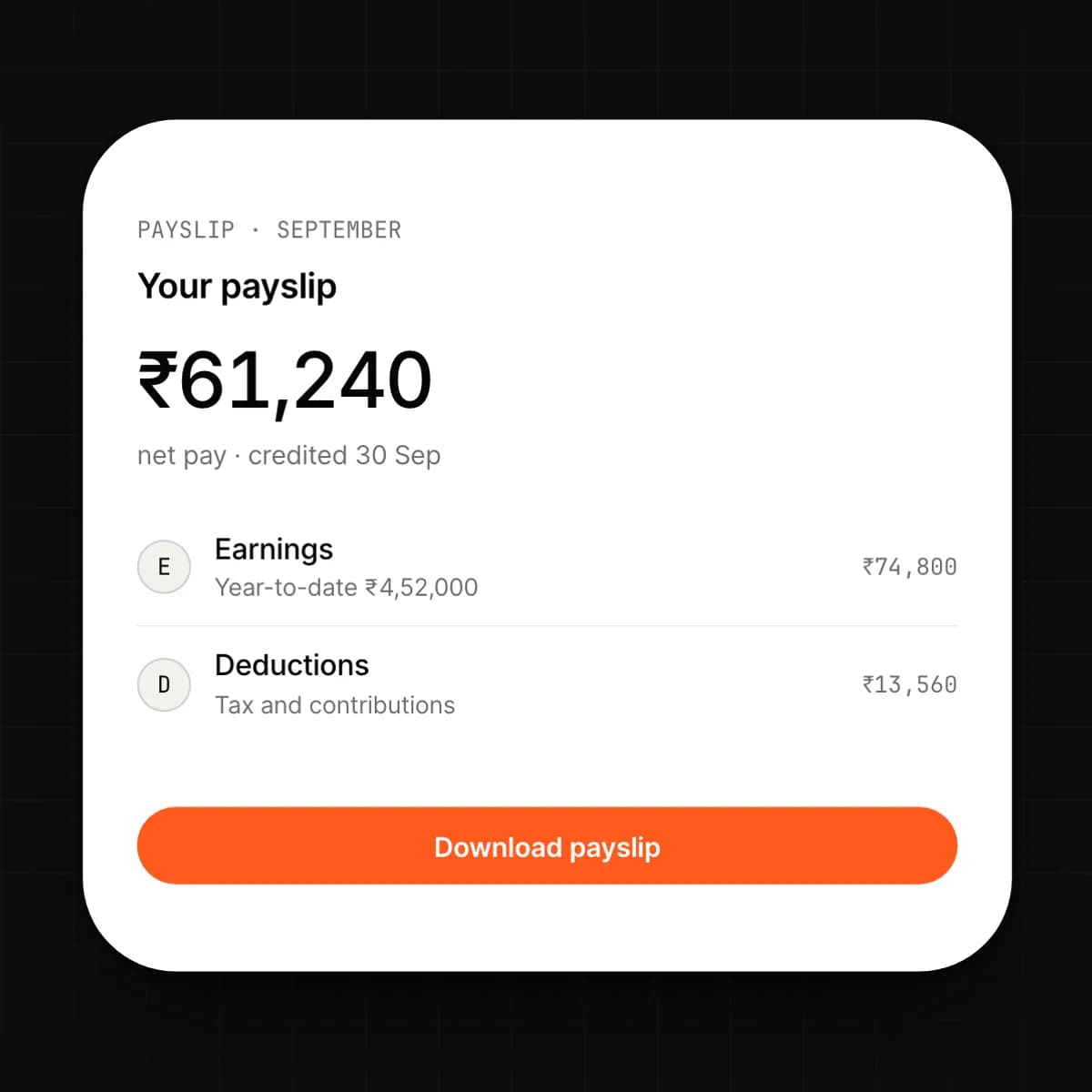
    On approval, payslips are released to each employee's login, itemised by component with a year-to-date column. The filings your country requires are prepared from the same run: the return files, the statements for employees and the summaries for the statutory bodies. Each filing has a due date and a status.

    • Payslips in self-service and by email, with a template per entity
    • Annual tax statements per employee, generated from the year's runs
    • Return files in the formats the statutory bodies accept
    • Filing calendar with due dates, owners and submitted evidence
  5. 05

    Arrears, loans, advances and reimbursements

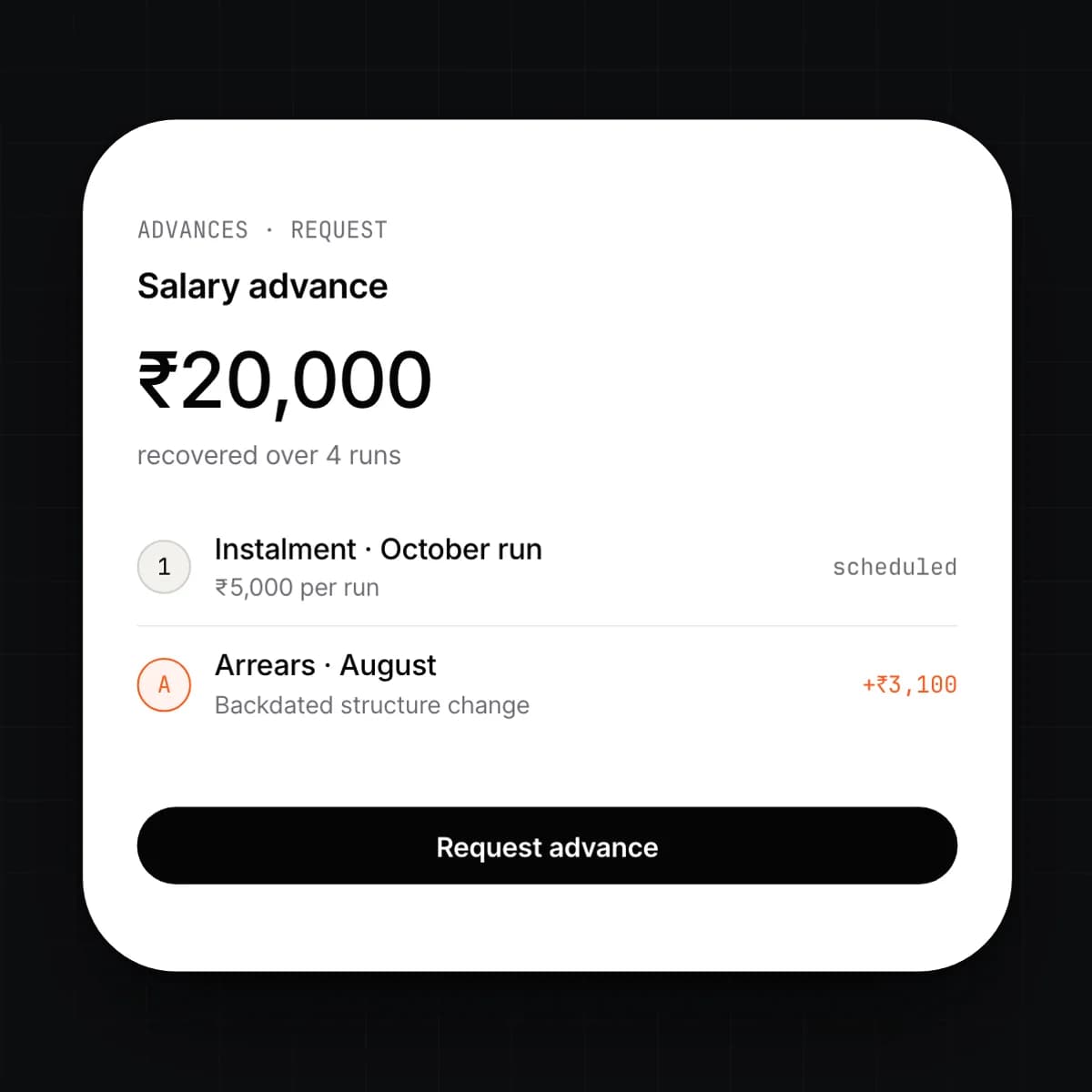
    A backdated change produces arrears, and the run computes them for every affected period rather than asking for a manual line. Loans and advances are set up with a schedule and recovered automatically each run. Approved expense claims from HRMS arrive as reimbursement lines.

    • Arrears computed per period for backdated structure changes
    • Loans with principal, instalments and early settlement
    • Salary advances recovered in the next run or over a schedule
    • Reimbursements pulled from approved claims, taxable or not by category
  6. 06

    Journals posted automatically

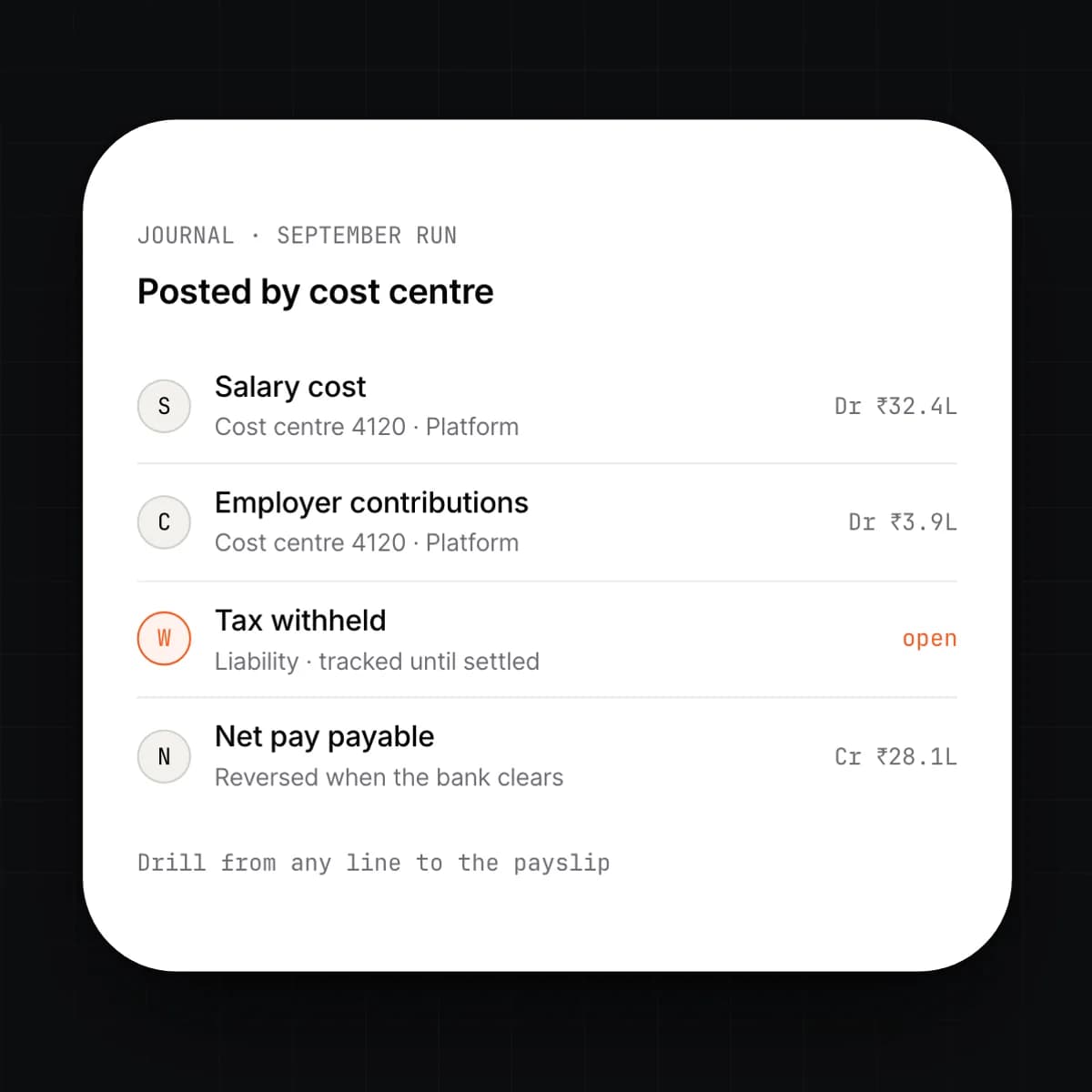
    An approved run posts its journals to the ledger without anyone re-keying it. Salary cost, employer contributions, withholdings and net pay are posted by cost centre and entity, so the finance team sees payroll cost by team the same day. Each journal line links back to the run and the payslips behind it.

    • Posting rules per component: account, cost centre, entity
    • Accruals for the period, reversed when the run is paid
    • Liabilities for tax and contributions tracked until settled
    • Drill from any ledger line to the payslip that produced it
  7. 07

    Bank payment files

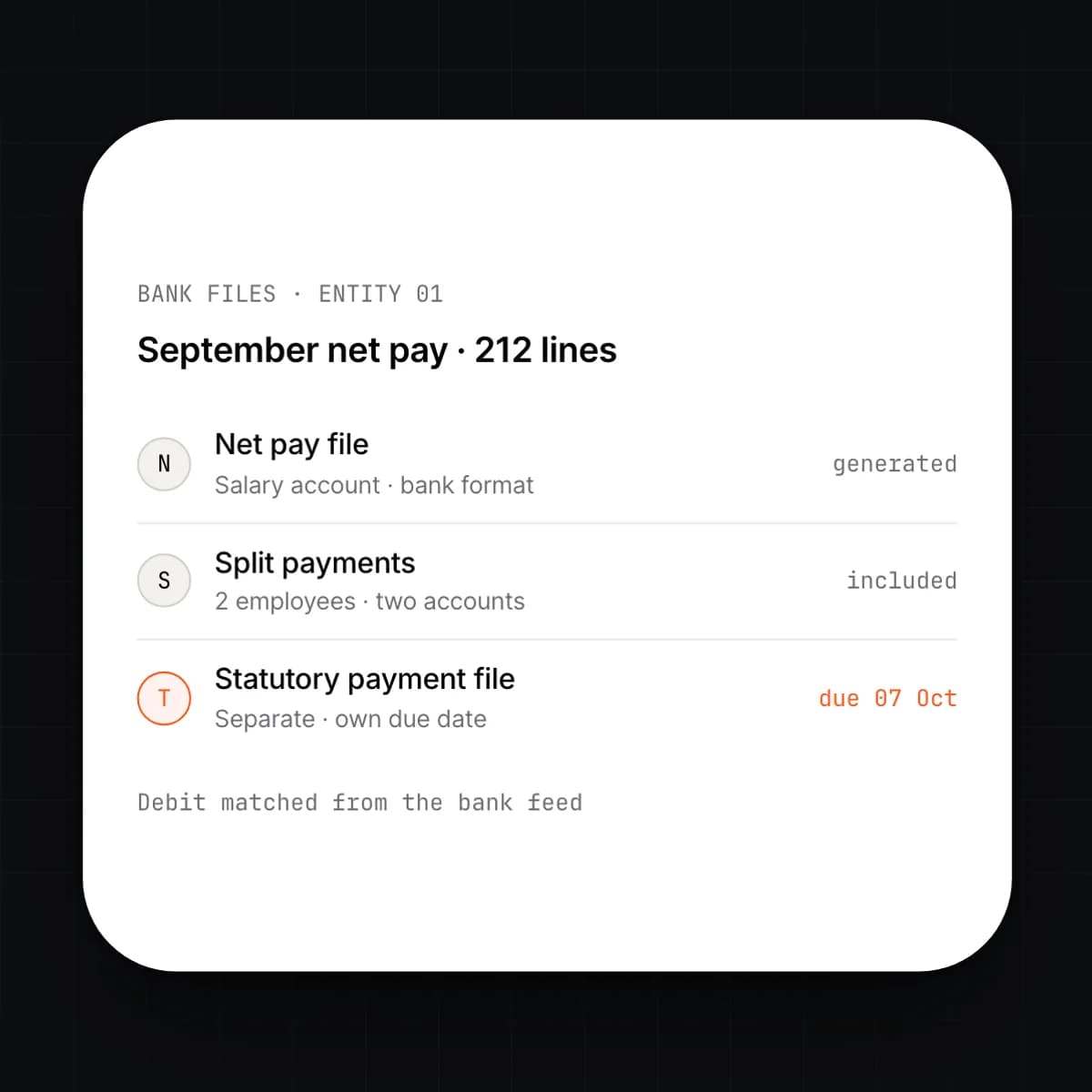
    Net pay is paid from a bank file the run generates in the format your bank accepts. One file per entity and bank account, with the payment date set at approval. When the bank feed shows the debit, Finance matches it to the run.

    • File formats per bank, configured once per account
    • Split payments across accounts where an employee asks for it
    • Statutory payments as separate files with their own due dates
    • Payment matched against the bank feed in Invoicing & Finance
  8. 08

    Full and final settlement

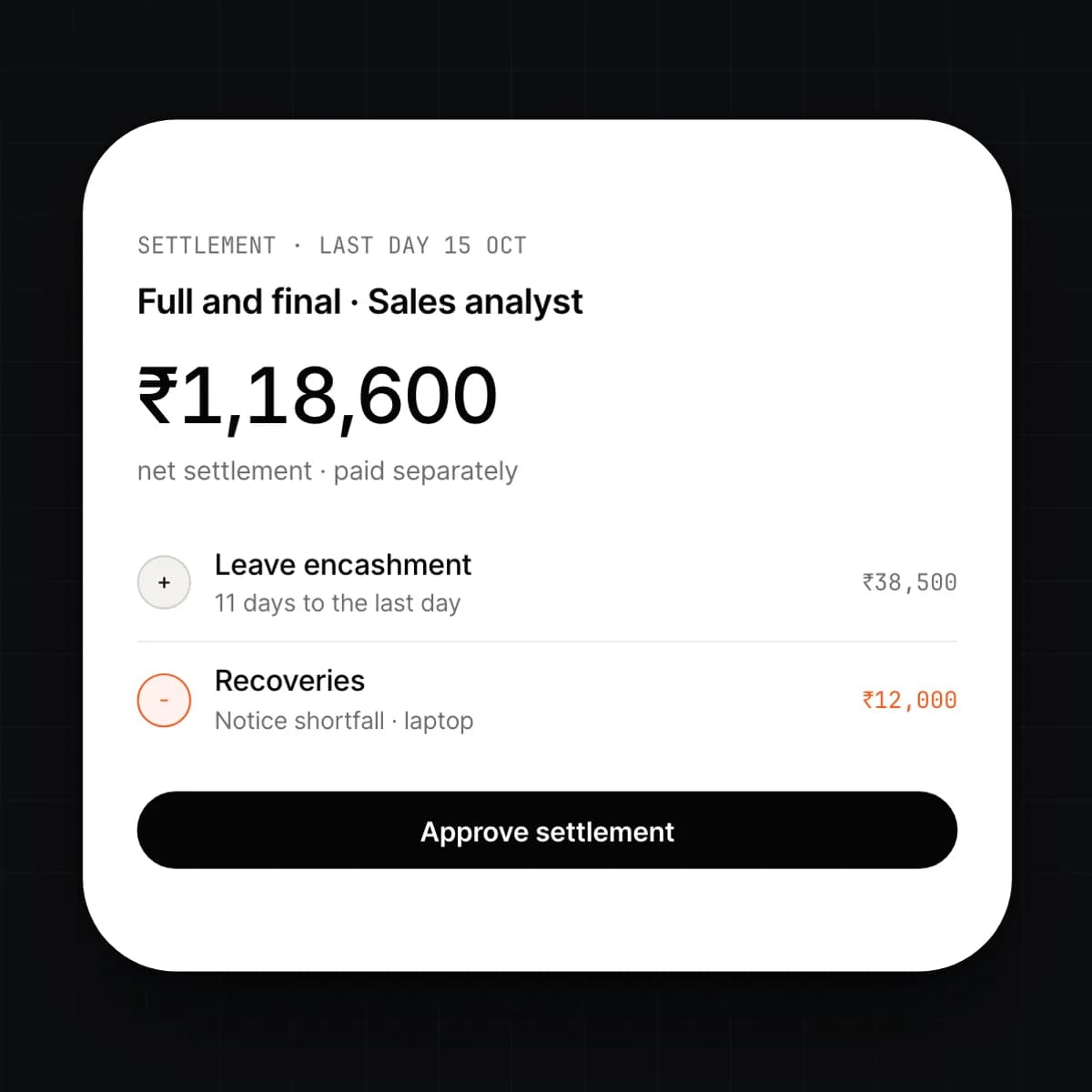
    Setting a last working day in HRMS opens a settlement. The run computes the final salary, leave encashment, notice recovery, outstanding loans and any terminal payment the country's rules require. The settlement is approved on its own, paid separately, and posted like any other run.

    • Pro-rated salary and leave encashment to the last day
    • Recoveries: notice period, loans, unreturned assets
    • Terminal payments under country-aware rules
    • Settlement statement and final tax statement for the employee
  9. 09

    Contractor payouts

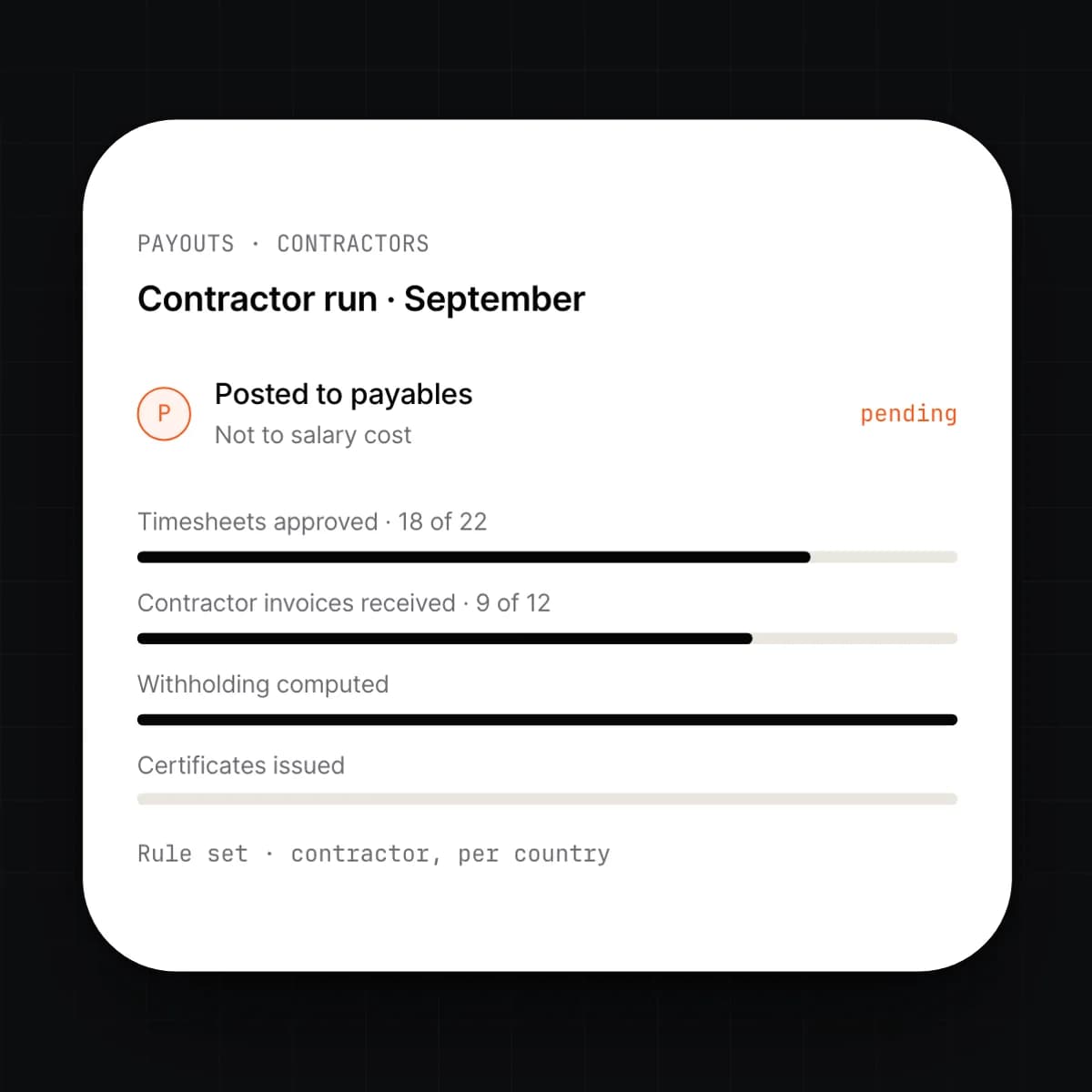
    Contractors are paid from the same run under a different rule set. Approved timesheets or contractor invoices from Projects become the input, withholding is applied where the country requires it, and the payout is posted to the contractor's payable account rather than to salary cost.

    • Contractor records with rate, contract dates and tax status
    • Inputs from approved timesheets or contractor invoices
    • Withholding computed and filed under the country's rules
    • Posted to payables, with the certificate the contractor needs

Capabilities

Every Payroll feature, at a glance.

9 capabilities, one card each. Open any card to read it in full.

Workflow

A pay run, start to filed

One run, from inputs to the filed return. Nothing is copied between steps.

  1. 01

    Inputs arrive.

    Attendance, leave, joiners, leavers, structure changes and approved claims flow in from HRMS for the period. Anything unapproved is listed before the run starts.

  2. 02

    The run computes.

    Every payslip is calculated under the entity's country rules. The preview shows each person's net against the last run, with the reason for any change.

  3. 03

    Approvers sign off.

    The payroll owner reviews the variances, then finance approves the totals. The run locks; any later change becomes an off-cycle run.

  4. 04

    Money moves.

    Bank files are generated for net pay and statutory payments. Payslips are released to self-service on the pay date.

  5. 05

    Books and filings close.

    Journals post by cost centre. The period's return files are prepared with their due dates, and the filing calendar tracks them until submitted.

Details

On the spec sheet.

Pay structures
Components with formulas; assigned by grade, position or person
Tax rules
Per country, per tax year, versioned; multi-entity groups
Run cadence
Monthly, fortnightly, weekly and off-cycle, per entity
Approvals
Two-step; variances shown before totals; run locks on approval
Payslips
Itemised with year-to-date; self-service and email; template per entity
Filings
Return files, employee statements, a calendar with due dates
Journals
Posted by cost centre and entity on approval; accruals reversed
Bank files
Per bank format; separate files for statutory payments
Permissions
Per-field roles; individual pay hidden from managers by default

Questions

Asked before signing.

Which countries are supported?

Each entity runs under a rule set for its country and tax year, and a group can mix countries. Rule sets are versioned, so a past run can always be recomputed under the rules that applied. Ask for the current country list when you request access.

Do we need HRMS to run Payroll?

Payroll reads the employee record, so HRMS is the source of its inputs. If you run attendance elsewhere, those figures can be imported per period instead. The pay structure, joiners and leavers still live on the record.

What happens if we find an error after approval?

The run is locked, so the correction is an off-cycle run or an adjustment in the next one. Both are computed against the original, so the arrears or recovery are itemised on the payslip. The original journals stay, and the correction posts as its own entry, which is what an auditor expects to see.

How do the journals reach the ledger?

Each component has a posting rule: an account, and a cost centre taken from the employee's position. On approval the run posts salary cost, employer contributions, withholdings and net pay per entity. Every line links back to the run, and from there to the payslip.

Can employees see their own payslips and tax statements?

Yes. Payslips are released to each employee's login on the pay date, and the annual tax statement is generated from the year's runs. Employees also submit their tax declarations through the same login, so the run uses what they declared.

Who can see payroll data?

Access is per field and per role. By default, managers see headcount and cost for their team but not individual pay, and the payroll owner sees everything for their entity. Every change is attributed and reversible, as with every other ledger entry.

Early access

One platform to run an entire organization.

We are onboarding a small number of companies this year. Tell us what you run today.