money

Receivables, payables,and the bank, reconciled.

Issue invoices, approve bills, and let the bank feed match itself to the ledger. Cash, tax and statements come straight from the record.

invoice → reminder → payment → match

Invoicing & Finance · Overview

Money in, money out, and the bank agreeing with both.

THE PROBLEM

Invoices go out from one tool, bills are approved by email, and the bank statement is reconciled in a spreadsheet at month end. Nobody knows today's cash position without asking finance. Reminders go out late because someone has to remember to send them. The books are right eventually, not now.

HOW SOLONOMOUS DOES IT

Invoicing & Finance issues every document from the ledger and posts every payment back to it. Bank feeds arrive continuously and the system matches them to open invoices and bills as they land. Reminders, approvals and tax returns run on schedules you set, and stop where a person has to decide. The cash forecast is a view on what is open, not a separate model.

WHAT YOU GET

You see cash, receivables and payables as they are, on any day. Month end is a review, not a reconstruction.

Capabilities

Everything the module does.

9 capabilities

  1. 01

    E-invoicing and reminders

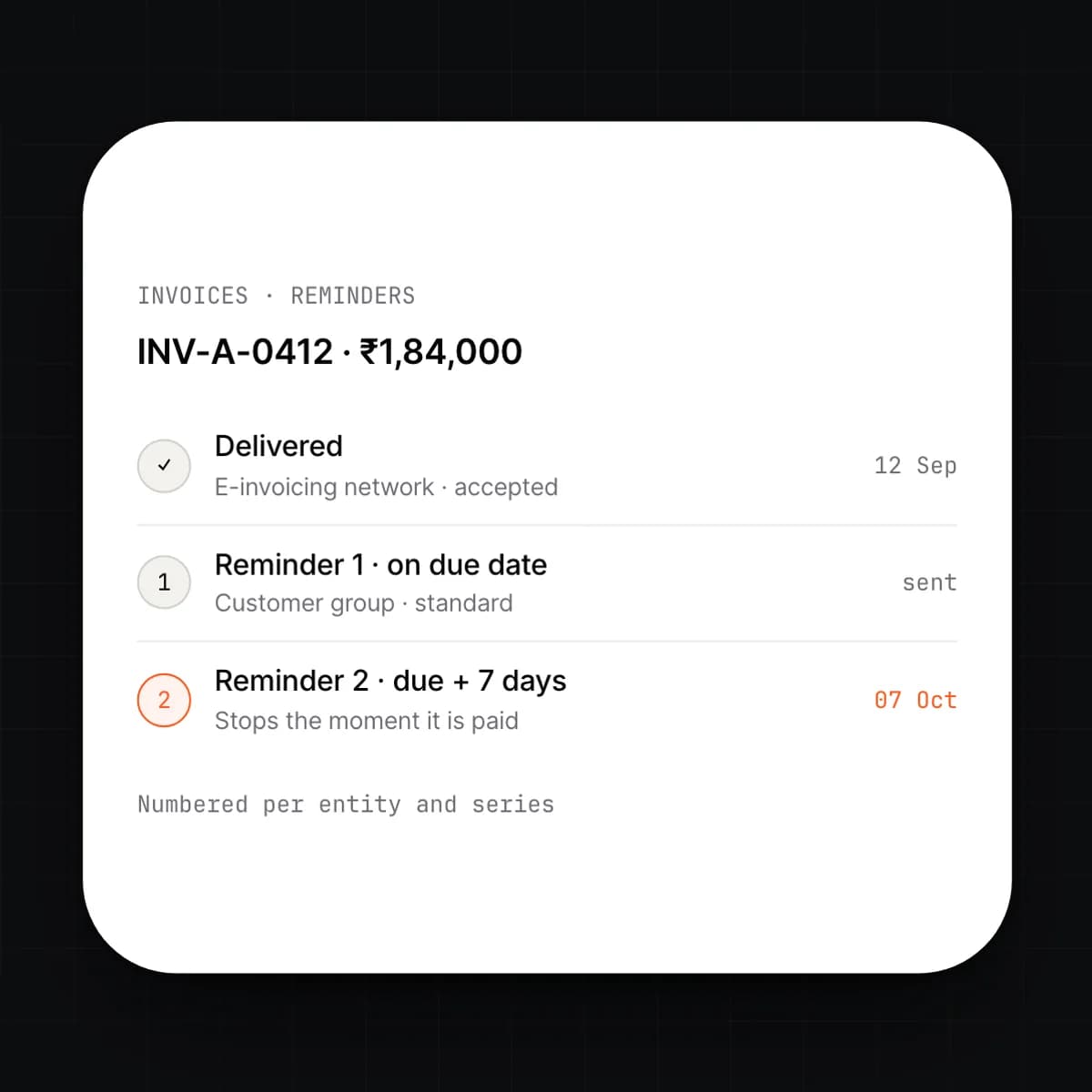
    Issue an invoice from a template and the system assigns the next number in its series, renders it in the customer's language and currency, and delivers it by email or through the e-invoicing network your country mandates. Reminders go out on the schedule you set, from the due date, and stop the moment the invoice is paid.
    • Sequential numbering per entity and series
    • Templates per brand, language and currency
    • E-invoicing where it is mandated, email elsewhere
    • Reminder schedules per customer group
  2. 02

    Recurring invoices and subscriptions

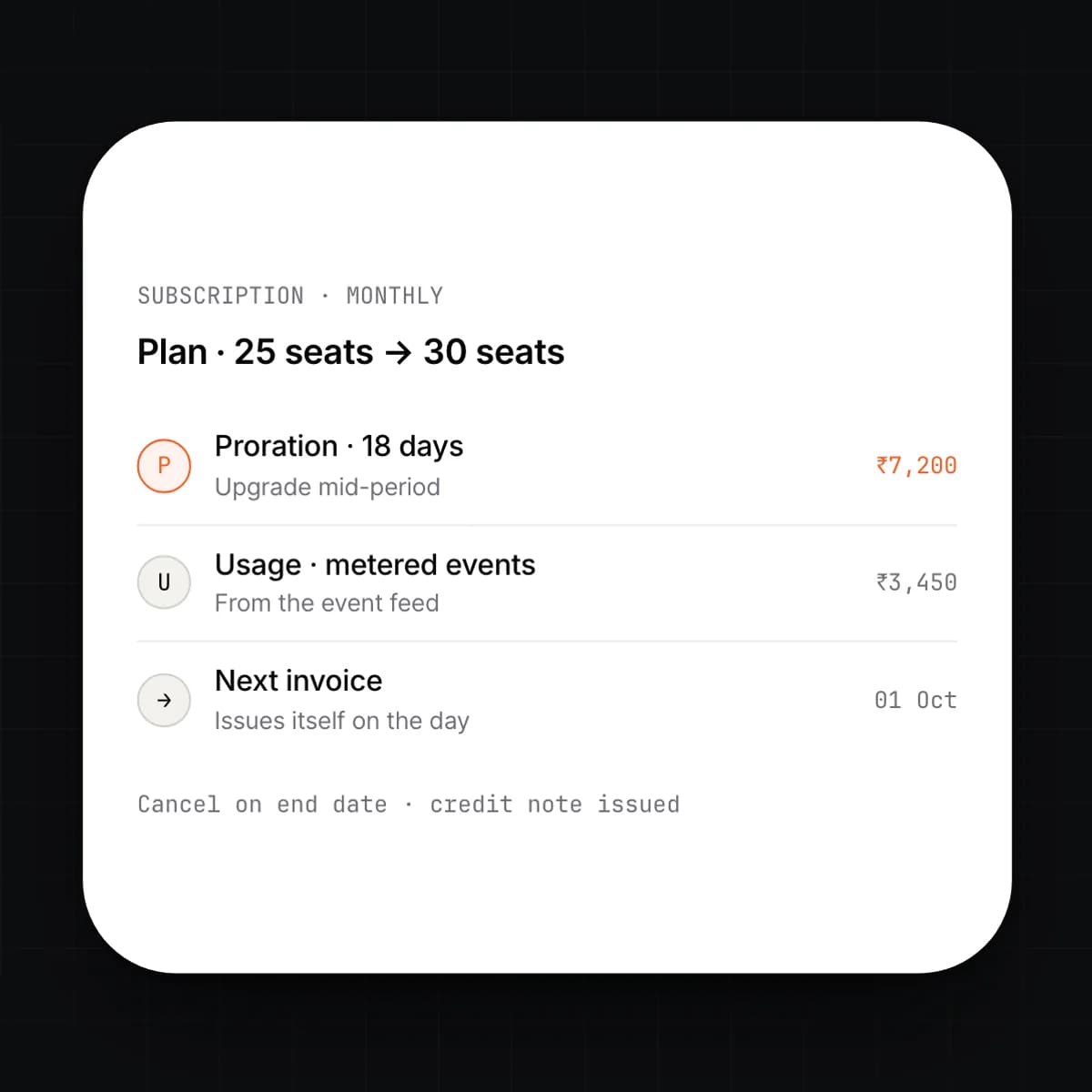
    Set a schedule once and the invoice issues itself on the day, prorated for changes mid-period. Plans, seats and metered usage feed the line items. A cancelled subscription stops on its end date and credits what is owed.

    • Daily, monthly, quarterly and contract-based schedules
    • Proration on upgrades, downgrades and cancellations
    • Usage lines from metered events
    • Pause, resume and end dates with automatic credit notes
  3. 03

    Receivables and dunning

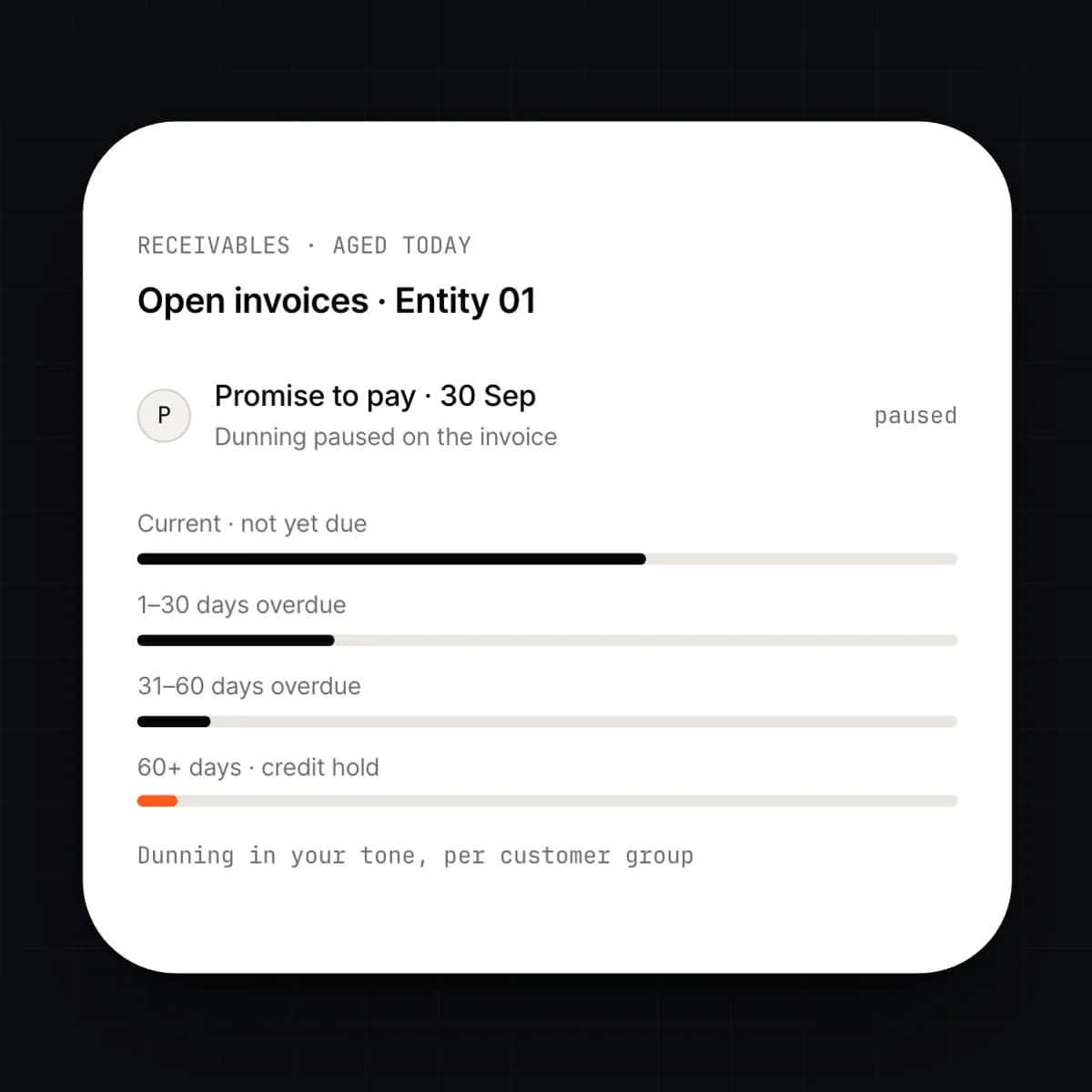
    Open invoices are aged live, per customer and per entity. Overdue balances move through a dunning sequence written in your tone, with statements, escalation and credit holds at the stages you define. Disputes and promises to pay are recorded on the invoice, so the sequence pauses for the right reasons.

    • Aged receivables by customer, entity and owner
    • Dunning sequences in your tone, per customer group
    • Dispute, promise-to-pay and partial payment states
    • Credit holds that block new orders in CRM
  4. 04

    Payables and approval routing

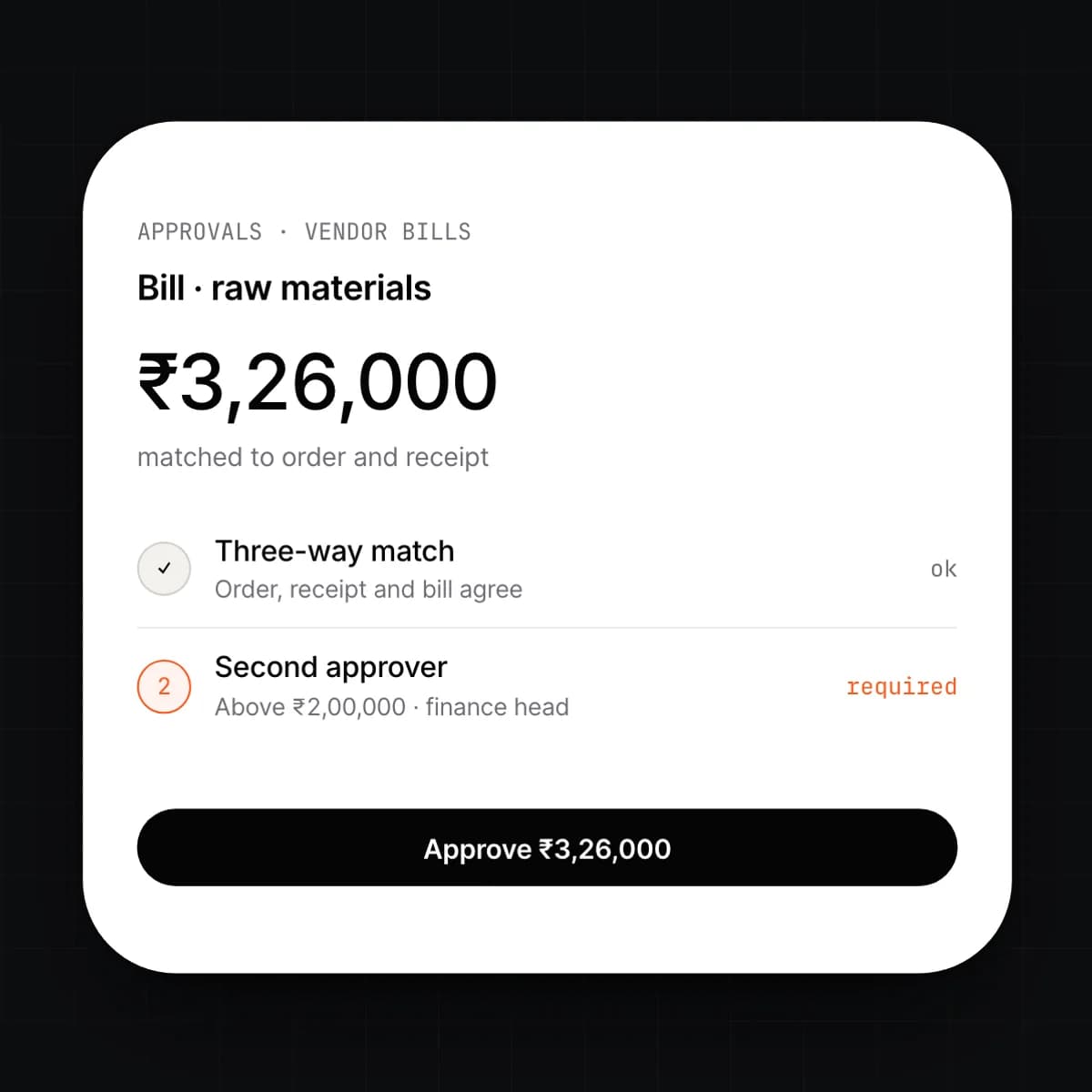
    Vendor bills arrive by email, upload or e-invoicing and are captured as drafts against the purchase order. Each bill routes to the approvers its amount and department require, who approve from their inbox or phone. Approved bills join the next payment run.

    • Bill capture with three-way match against order and receipt
    • Routing rules by amount, department and vendor
    • Payment runs with a second approver above your threshold
    • Vendor statements reconciled to open bills
  5. 05

    Bank matching

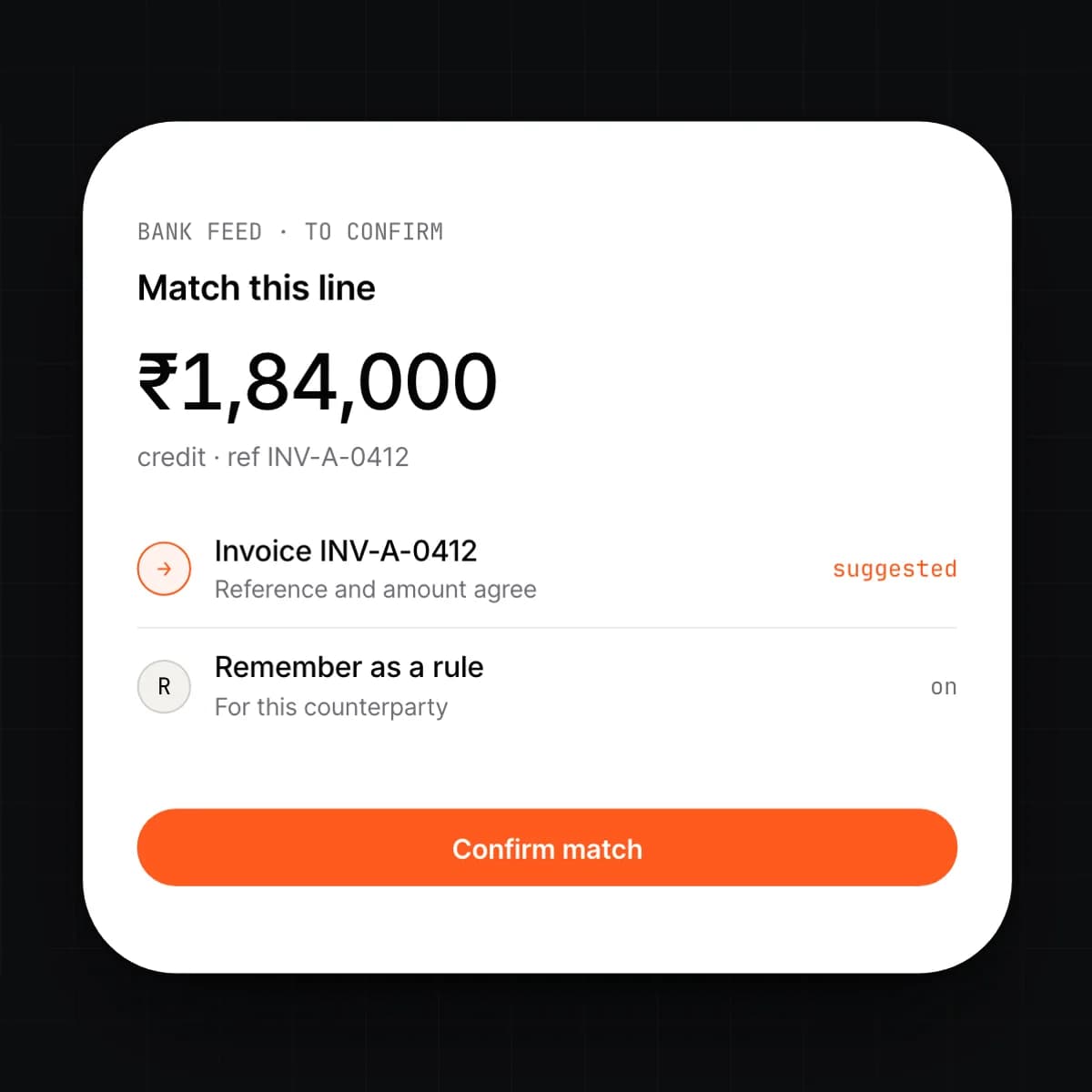
    Bank feeds arrive continuously and each line is matched to an open invoice, bill, expense or transfer by reference, amount and counterparty. Matches above the confidence you set post automatically; the rest are queued for a person with the likely match already selected. Rules you confirm are learned for next time.

    • Direct feeds where the bank offers them, statement import otherwise
    • Reference, amount, counterparty and partial-payment matching
    • Rules for recurring lines such as fees and salaries
    • Unmatched lines queued with a suggested match
  6. 06

    Expenses and cards

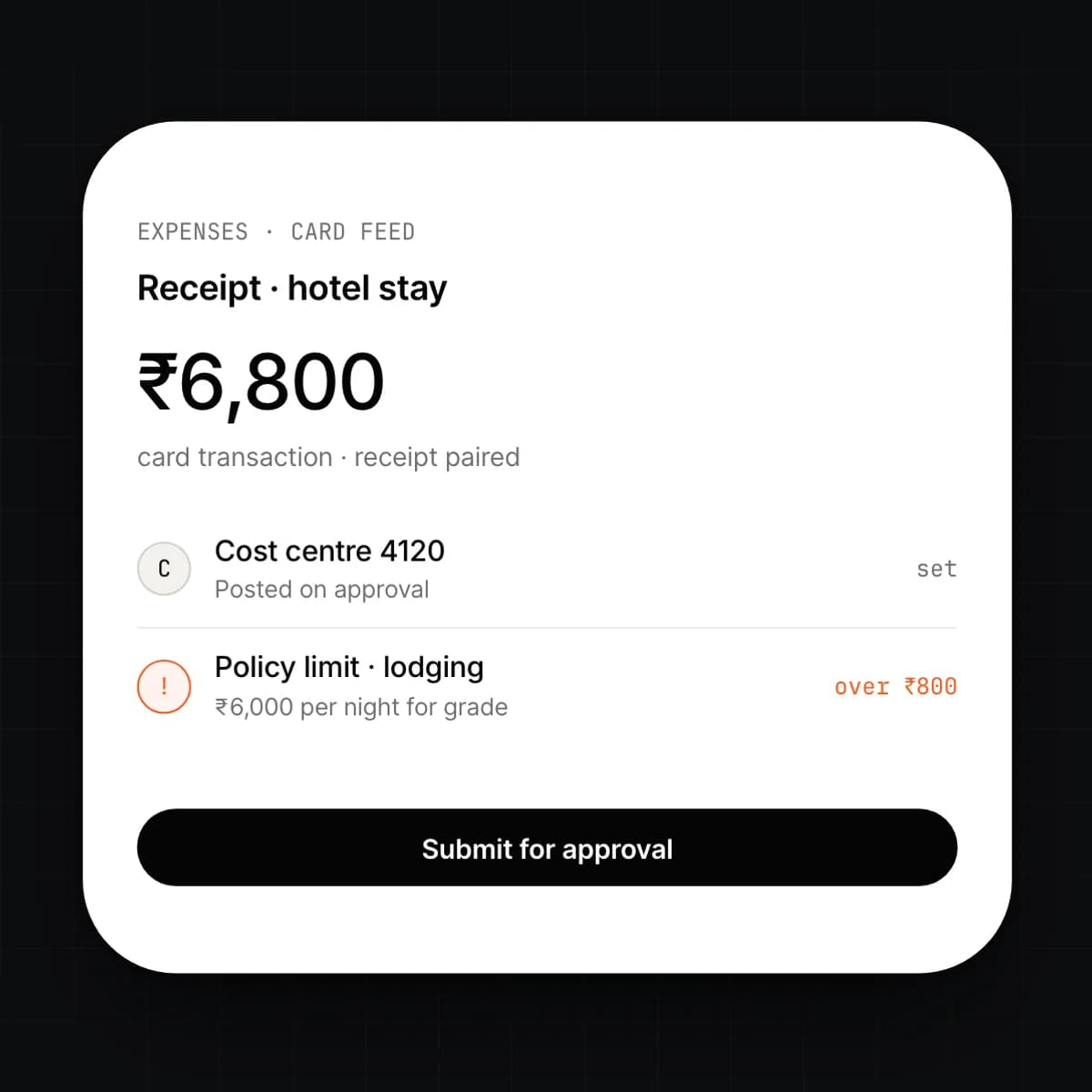
    Employees submit receipts from their phone; card feeds bring in the transactions and the two are paired automatically. Each claim routes for approval, posts to the right cost centre, and is reimbursed in the next payment run or settled against the card statement.

    • Receipt capture with line extraction
    • Corporate card feeds paired to receipts
    • Policy limits per category and grade
    • Reimbursement through payroll or a payment run
  7. 07

    Indirect tax and returns

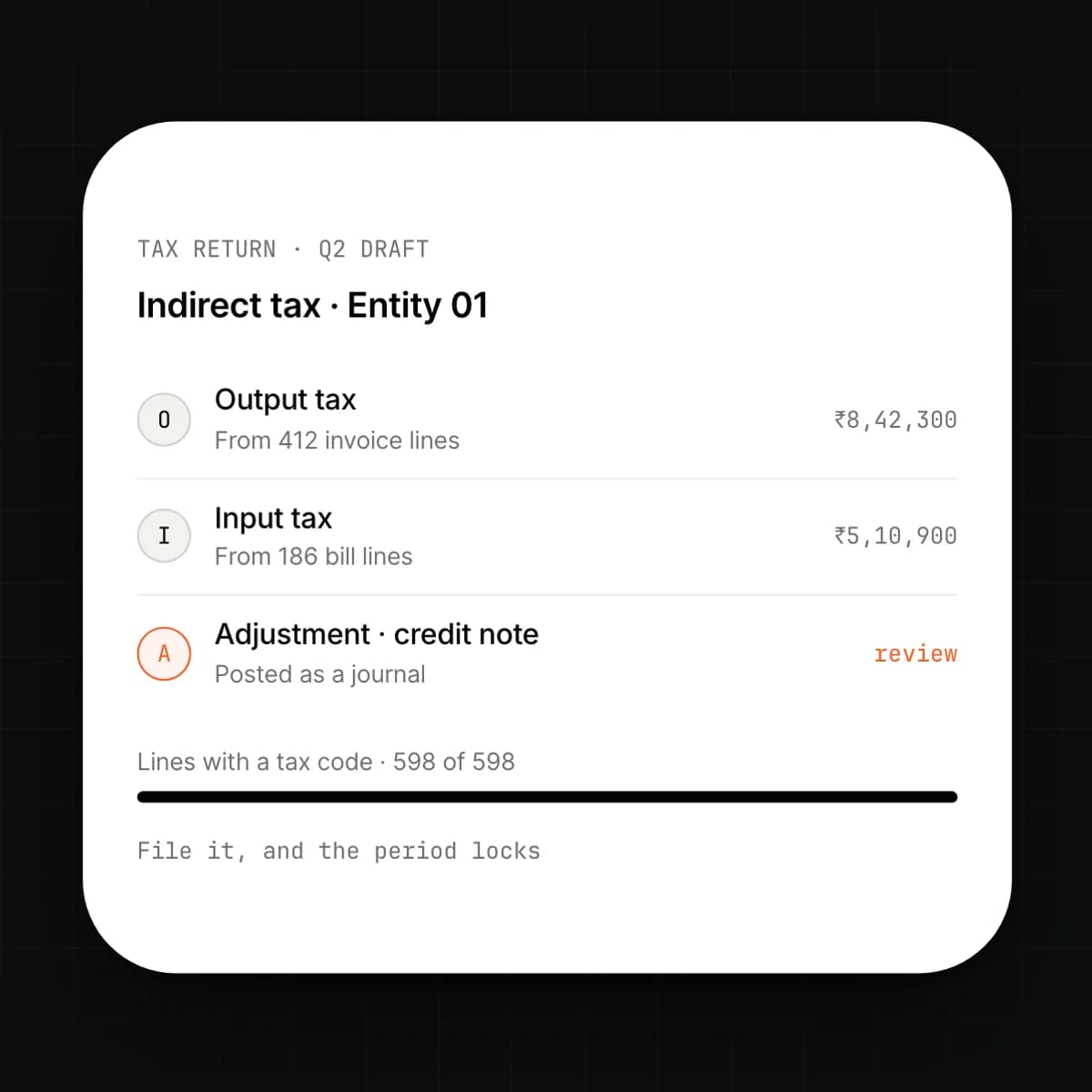
    Every line carries the tax code its jurisdiction requires, set from the customer, the item and the place of supply. The return for the indirect tax your country levies is drafted from the ledger for each period and entity, with every figure traceable to the documents behind it. File it, and the period locks.

    • Tax codes by jurisdiction, item and place of supply
    • Returns drafted per entity and period
    • Every return figure drills to its source lines
    • Adjustments posted as journals, never edited in place
  8. 08

    Cash forecast

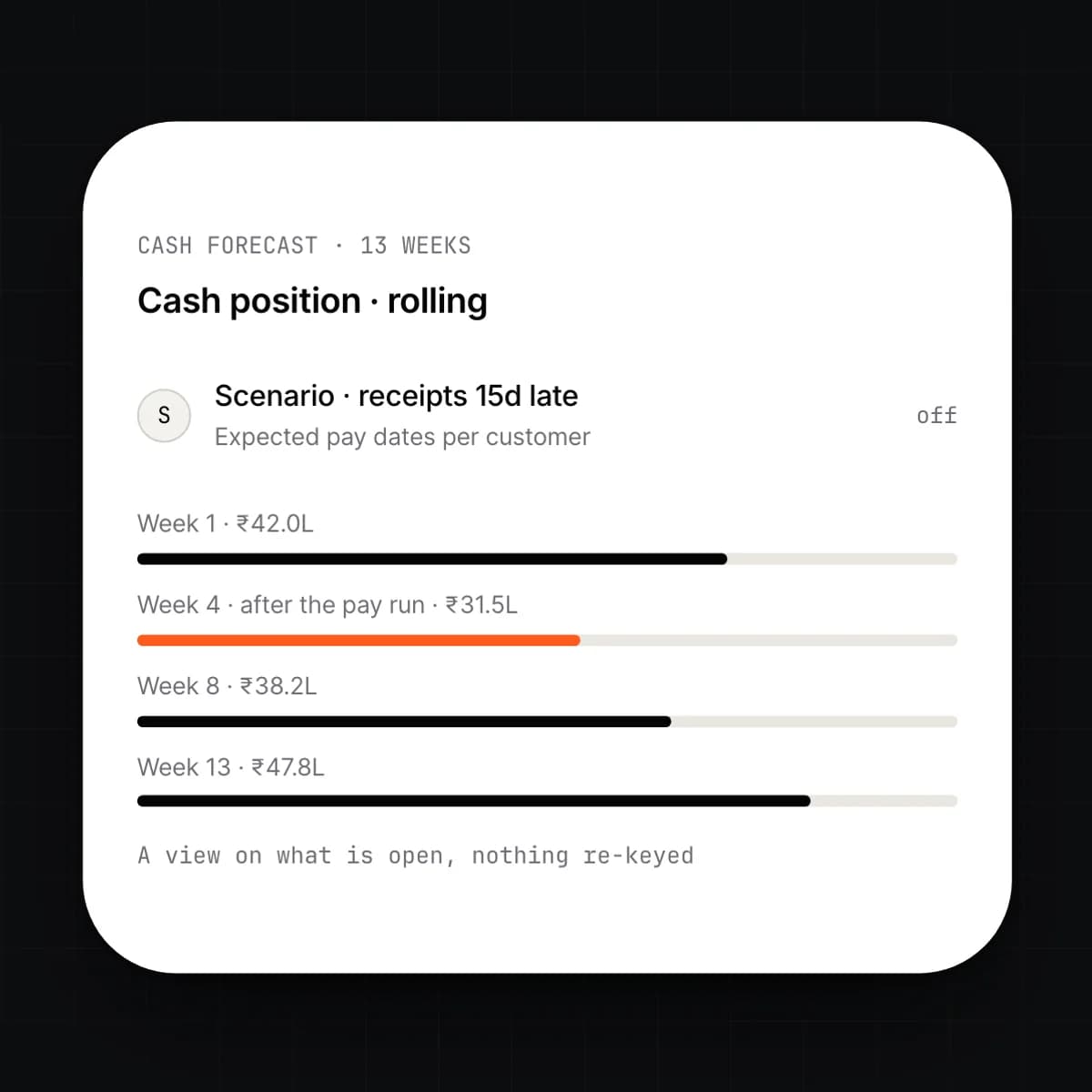
    The forecast is a view on what is open: invoices with expected pay dates learned from each customer's history, bills by due date, recurring revenue and the next payroll. Change an assumption and the curve updates. Nothing is re-keyed from the books.

    • Thirteen-week rolling horizon by default
    • Expected pay dates learned per customer
    • Payroll and recurring bills included automatically
    • Scenarios for delayed receipts and held payments
  9. 09

    Financial statements

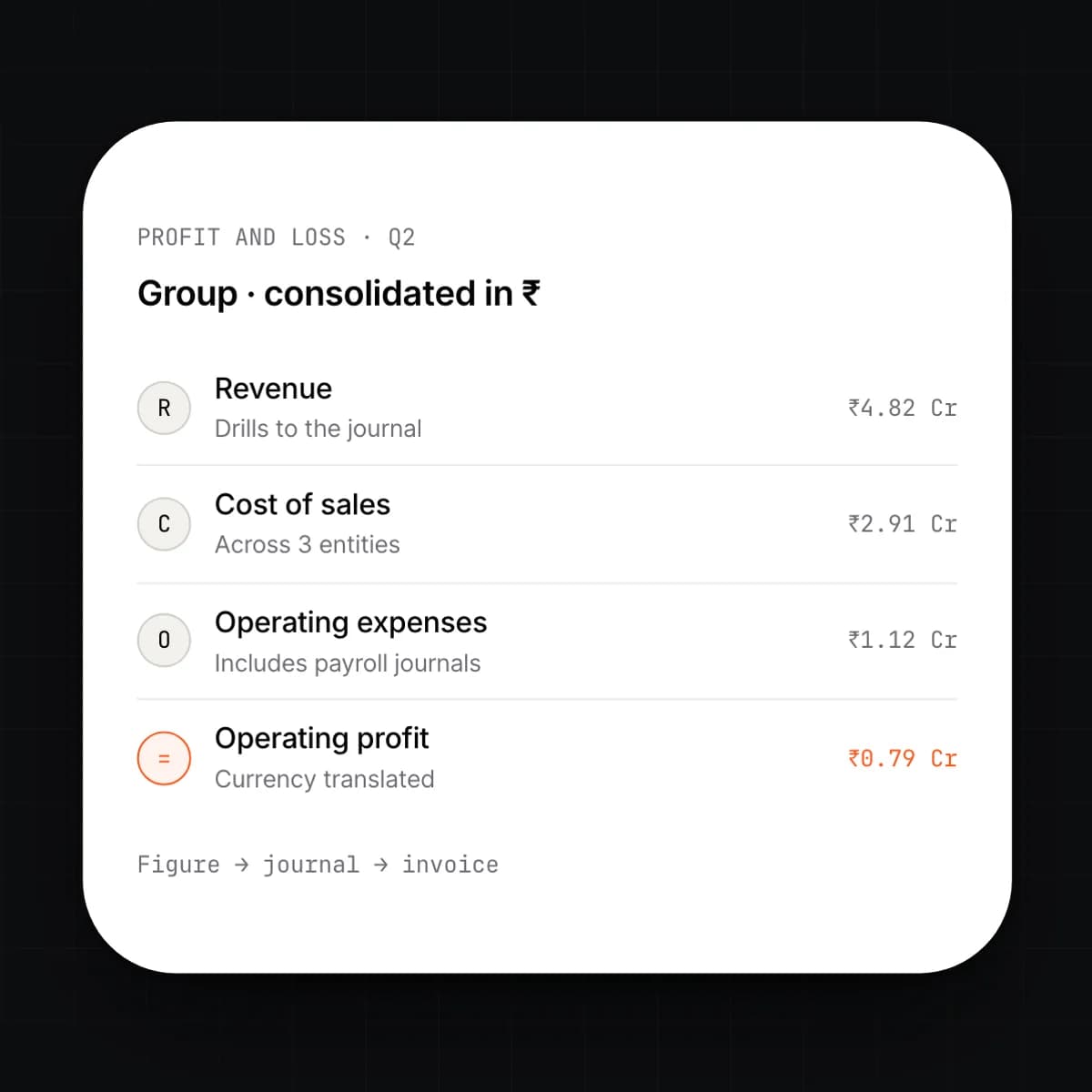
    Profit and loss, balance sheet, cash flow, trial balance and aged receivables and payables come straight from the ledger, for any period and any entity, in the reporting currency you choose. Click a figure to reach the journal, and the journal to reach the invoice.

    • P&L, balance sheet, cash flow and trial balance
    • Aged AR and AP by entity, customer and vendor
    • Consolidation across entities with currency translation
    • Every figure drills to the ledger line

Capabilities

Every Invoicing & Finance feature, at a glance.

9 capabilities, one card each. Open any card to read it in full.

Workflow

An invoice, issued to reconciled

Five events, one record. A person acts at the first and, if needed, the last.

  1. 01

    Issued

    An invoice is raised from a signed quote, a shipment, a timesheet or by hand. It takes the next number in its series and posts the receivable, revenue and tax journals as it is created.

  2. 02

    Delivered

    It goes out by email, or through the e-invoicing network where one is mandated. Delivery and opening are recorded on the invoice.

  3. 03

    Reminded

    The reminder schedule for the customer's group starts from the due date, in your tone. It stops the moment a payment is matched, and pauses if a dispute is logged.

  4. 04

    Paid

    The payment lands in the bank feed. The system reads the reference, amount and counterparty and proposes the invoice it settles.

  5. 05

    Matched

    Above your confidence threshold the match posts on its own; below it, a person confirms with one click. The invoice closes, the customer's balance updates, and the cash forecast moves.

Details

On the spec sheet.

Documents
Invoice, credit note, proforma, statement, vendor bill and debit note; numbered per entity and series
Recurring
Schedules by day, month, quarter or contract; proration; pause, resume and end dates
Collections
Reminder schedules per customer group; dunning in your tone; dispute and promise-to-pay states
Payables
Bill capture from email, upload or e-invoicing; routing by amount and department; payment runs
Bank feeds
Direct feeds where available, statement import otherwise; rules and learned matching
Tax
Indirect tax by jurisdiction; returns drafted from the ledger; e-invoicing where it is mandated
Forecast
Thirteen-week rolling horizon; expected pay dates learned per customer; scenarios
Statements
P&L, balance sheet, cash flow, trial balance, aged AR and AP; any period, any entity, consolidated
Permissions
Per entity and per action; approval thresholds; second approver on payment runs

Questions

Asked before signing.

Does this replace our accounting software?

Invoicing & Finance is the receivables, payables, bank and reporting layer on the ERP Core ledger, so for most companies it does. If you keep a separate general ledger during migration, summary journals can be exported to it each period. Migration from spreadsheets or a legacy system is assisted.

Which e-invoicing formats does it support?

E-invoicing is configured per entity for the format and network your country mandates, and invoices go by email as PDF where nothing is mandated. Tell us which countries you invoice from and we will confirm coverage before you commit.

How much of bank matching is automatic?

Lines that match an open document by reference, amount and counterparty above the confidence threshold you set post on their own. Everything else is queued with a suggested match for a person to confirm or correct. Rules you confirm are applied to the same kind of line next time.

Can approvers work from email or a phone?

Yes. A bill or expense routes to its approver as an email and a notification, and the approval from either is recorded on the document with who, when and from where. The same routing applies to payment runs.

What feeds the cash forecast?

Open invoices with expected pay dates learned from each customer's history, bills by due date, recurring invoices and bills, and the next pay run from the Payroll module. It is a view on the ledger, so it moves as soon as anything posts. Scenarios let you test a late receipt or a held payment run.

Can our external accountant have access?

Give them a seat scoped to the entities and actions they need, from read-only to posting adjustments. Every entry they make is attributed and reversible like any other. They can also take a full export in open formats at any time.

Early access

One platform to run an entire organization.

We are onboarding a small number of companies this year. Tell us what you run today.