operations

Every unit, every location,and the work that consumes it.

Live stock across warehouses, bins and the shop floor, valued at landed cost. Orders reserve it, work orders consume it, and the ledger moves with every scan.

order → reserve → make → pick → ship

Inventory & Manufacturing · Overview

Stock you can trust, and manufacturing that costs itself.

THE PROBLEM

Stock lives in one system, the shop floor in another, and the true value of what is on the shelf is worked out at year end. A sale is promised before anyone checks a location. Work orders consume parts that were never issued. Landed cost is an estimate, and margin is wrong until the accountant corrects it.

HOW SOLONOMOUS DOES IT

Inventory & Manufacturing keeps one quantity and one value per item, per location, updated by every receipt, issue, move and count. Sales orders reserve stock where it sits; shortages raise purchase or work orders. Bills of materials drive consumption, and every step posts to the ledger at the cost it actually carried. Scanners confirm the physical movement so the record and the shelf agree.

WHAT YOU GET

Every unit is where the system says it is, valued at what it cost to get there. Margin on every order is known when it ships, not when the books close.

Capabilities

Everything the module does.

9 capabilities

  1. 01

    Items, variants and units

    Define an item once with its variants, units of measure and conversion factors. Choose whether it is tracked by quantity, batch or serial, and the system carries that identity through every receipt, move, consumption and shipment.
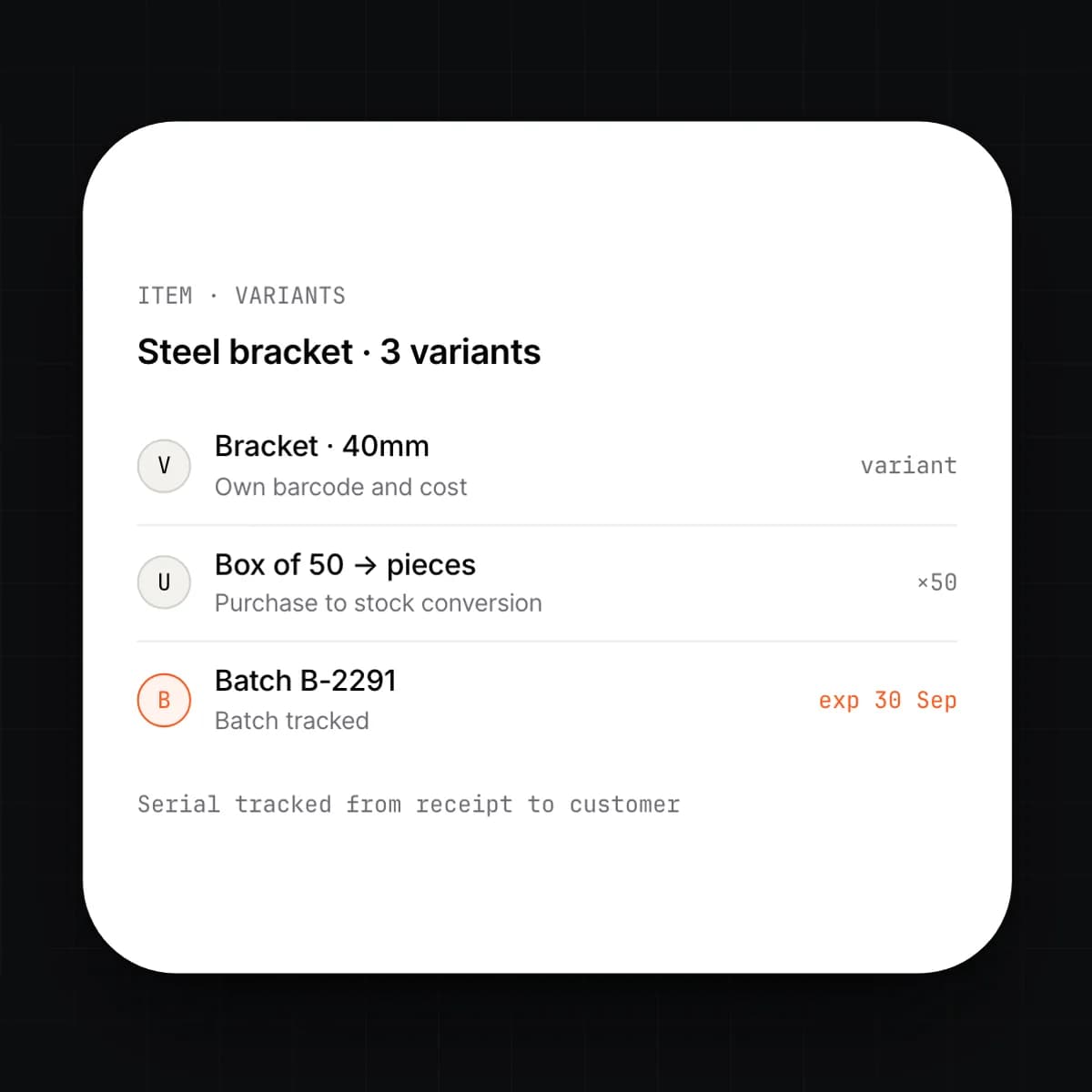
    • Variants by attribute, with their own barcodes and costs
    • Units of measure with purchase, stock and sales conversions
    • Batch tracking with expiry dates
    • Serial tracking from receipt to customer
  2. 02

    Multi-location stock

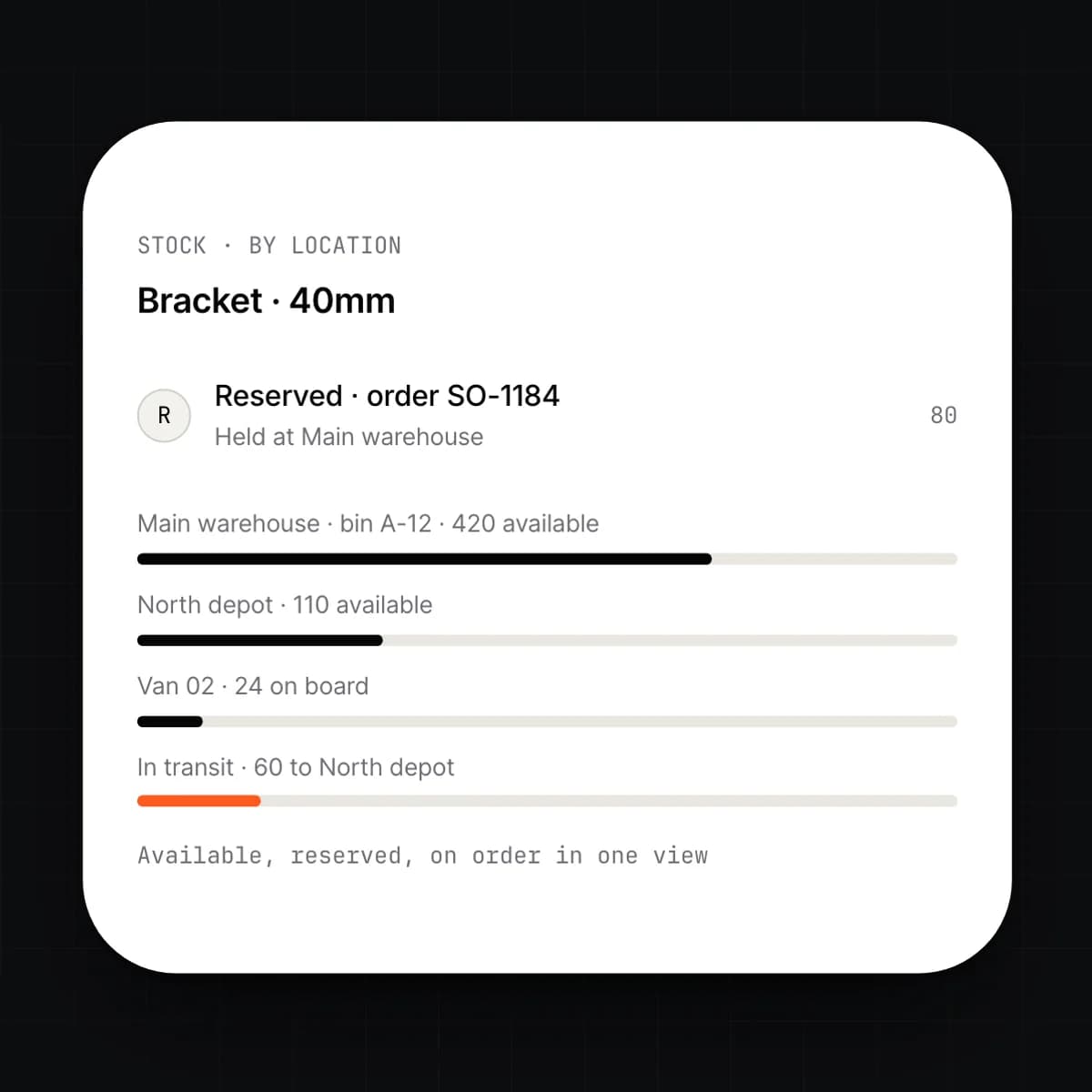
    Stock is held per warehouse, per bin, and per vehicle or consignment location, with one live quantity for each. Transfers move stock through an in-transit state, so nothing is in two places or nowhere. Reservations hold stock for the orders that need it without moving it.

    • Warehouses, bins, vehicles and consignment locations
    • Transfers with in-transit stock and receipt confirmation
    • Reservations per order, per location
    • Available, reserved and on-order quantities on one screen
  3. 03

    Procurement and replenishment

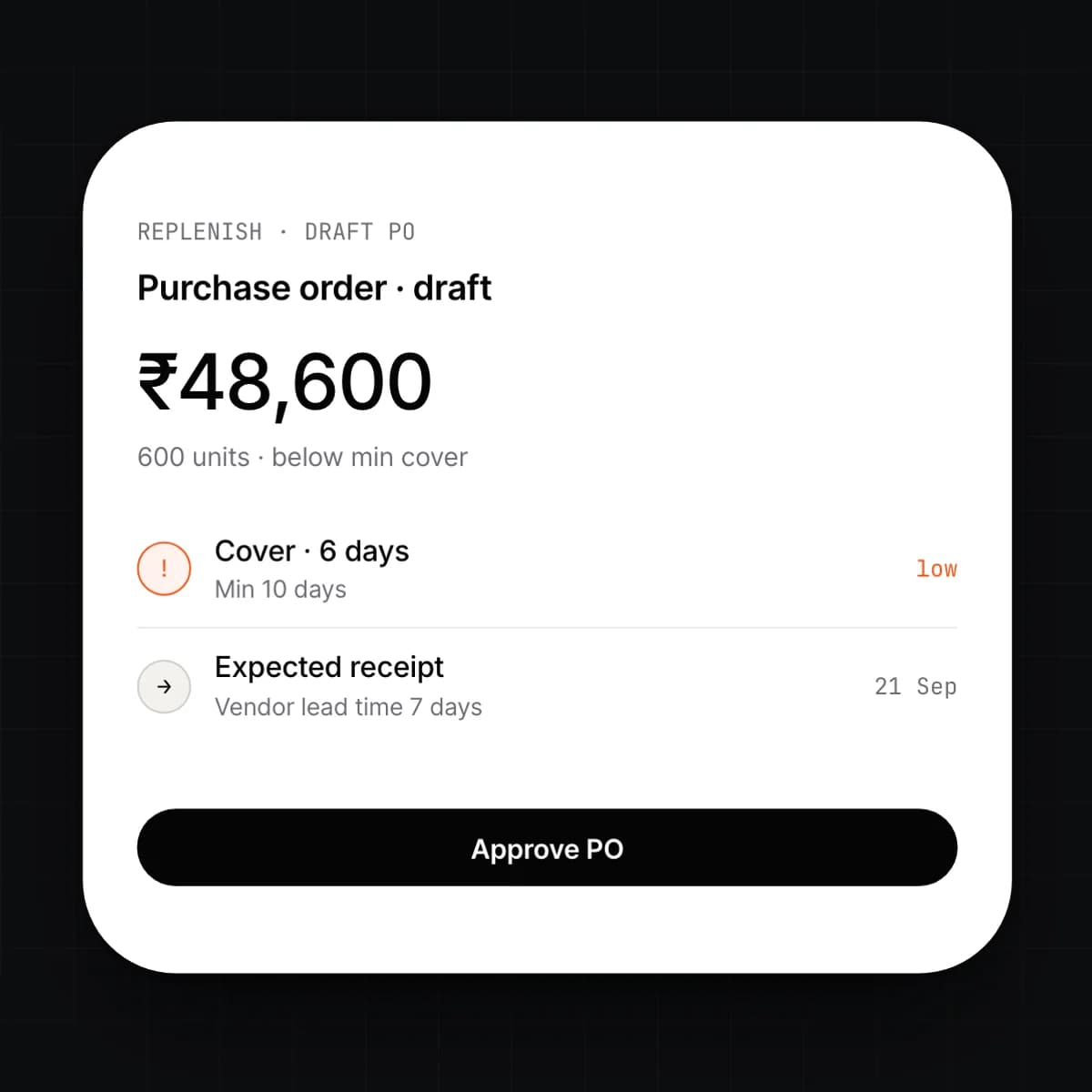
    Replenishment rules watch cover per item and location and draft purchase orders before stock runs out. A purchase order goes to the vendor, the receipt confirms what arrived, and the vendor bill is matched to both in Finance. The Replenish agent drafts; a person approves.

    • Requisition, purchase order, receipt and three-way match
    • Min/max, lead-time and forecast-based replenishment
    • Vendor price lists and lead times per item
    • Partial receipts and backorders
  4. 04

    BOMs and work orders

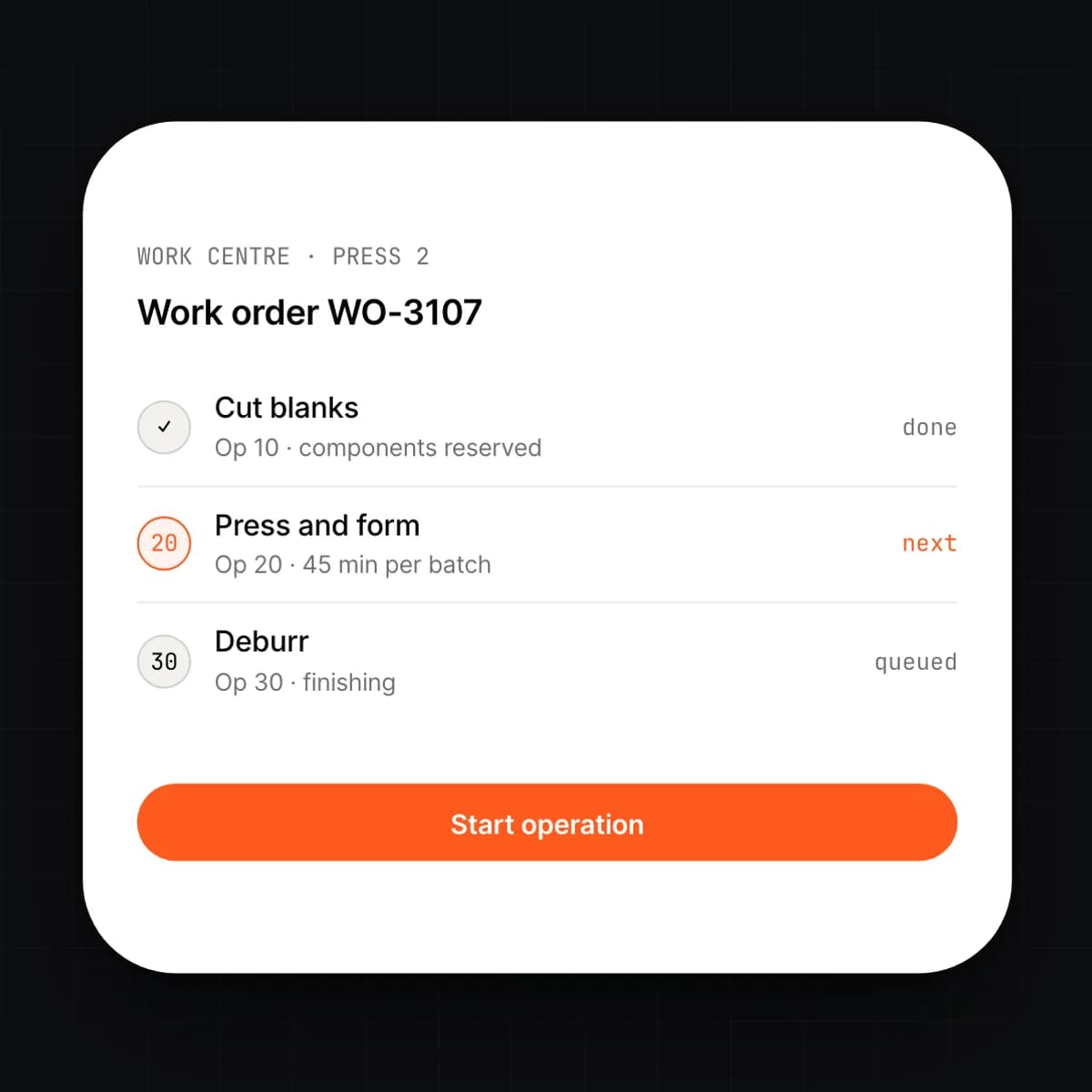
    A bill of materials lists what an item is made from and a routing lists the operations that make it. A work order takes both, reserves the components, and shows the shop floor which operation is next. Consumption posts as each step completes, or is backflushed when the order closes.

    • Multi-level BOMs with substitutes and scrap allowances
    • Routings with work centres and operation times
    • Shop floor view per work centre, with start and finish per operation
    • Manual issue or backflush per work order
  5. 05

    Landed cost and WIP

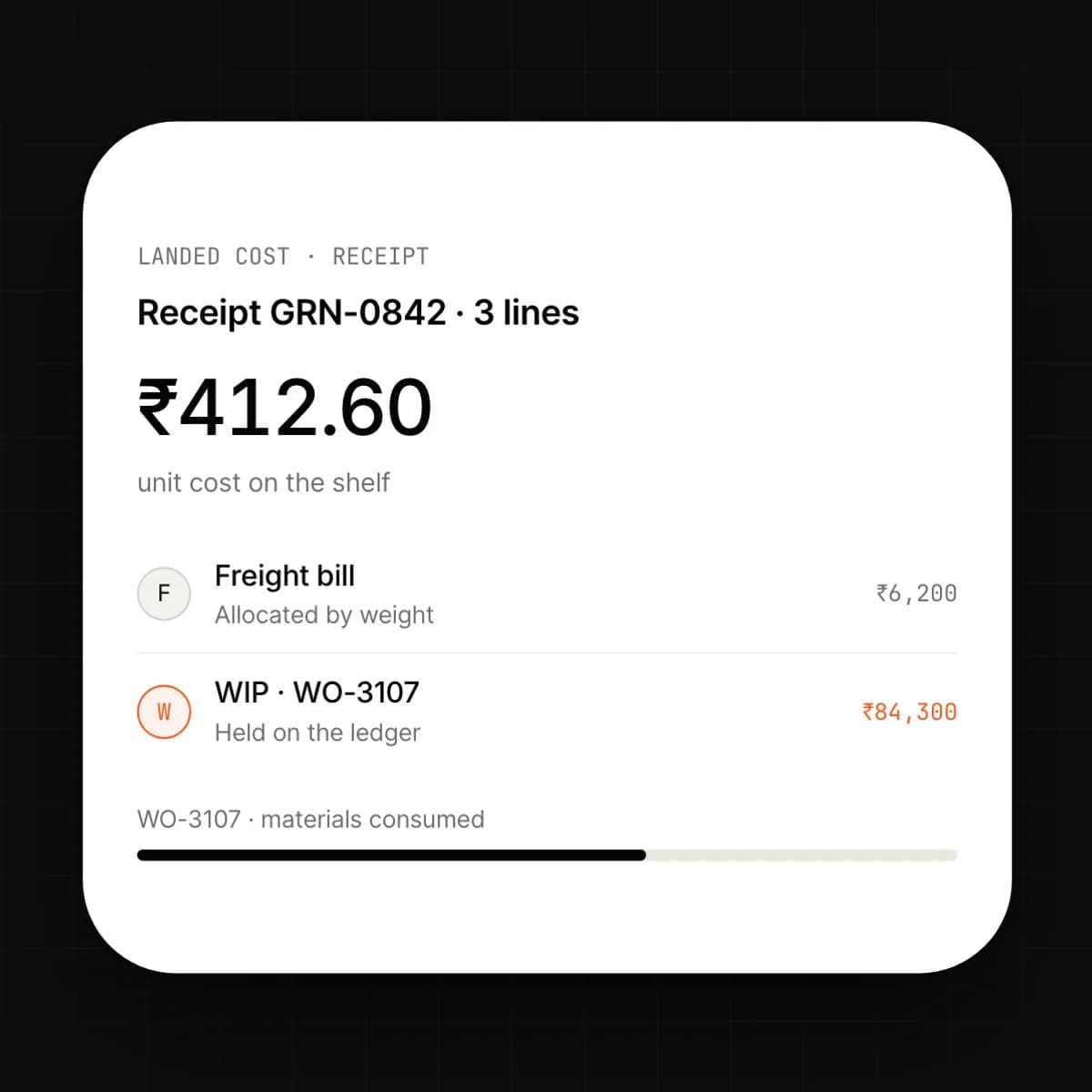
    Freight, duty and handling are allocated to the goods they brought in, by value, weight or quantity, so the unit cost on the shelf is what it cost to get there. Open work orders carry their consumed materials and labour as work in progress on the ledger until the finished goods are received. Valuation runs FIFO or weighted average per entity.

    • Landed cost allocated at receipt or when the freight bill arrives
    • FIFO or weighted average per entity
    • WIP as a ledger account, per work order
    • Cost of goods sold posted at shipment
  6. 06

    Quality checks and holds

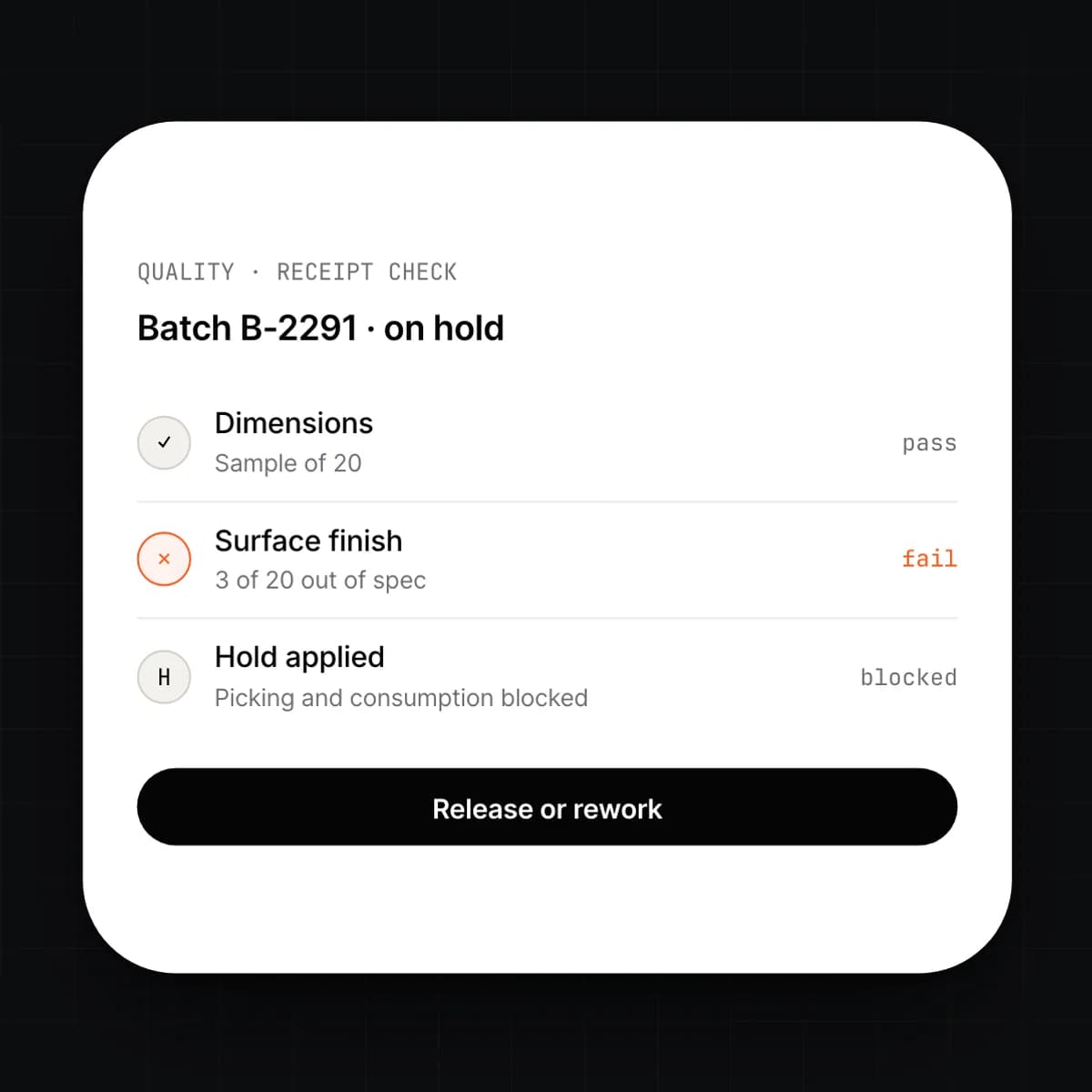
    Define the checks an item needs on receipt, during production or before it ships. A failed check puts the batch or serial on hold, which blocks picking and consumption until it is released or written off. Every result is kept against the item's history.

    • Check templates per item, vendor and stage
    • Holds that block picking, consumption and shipment
    • Release, rework or write-off with a reason
    • Results kept for recall and audit
  7. 07

    Barcode and scanner workflows

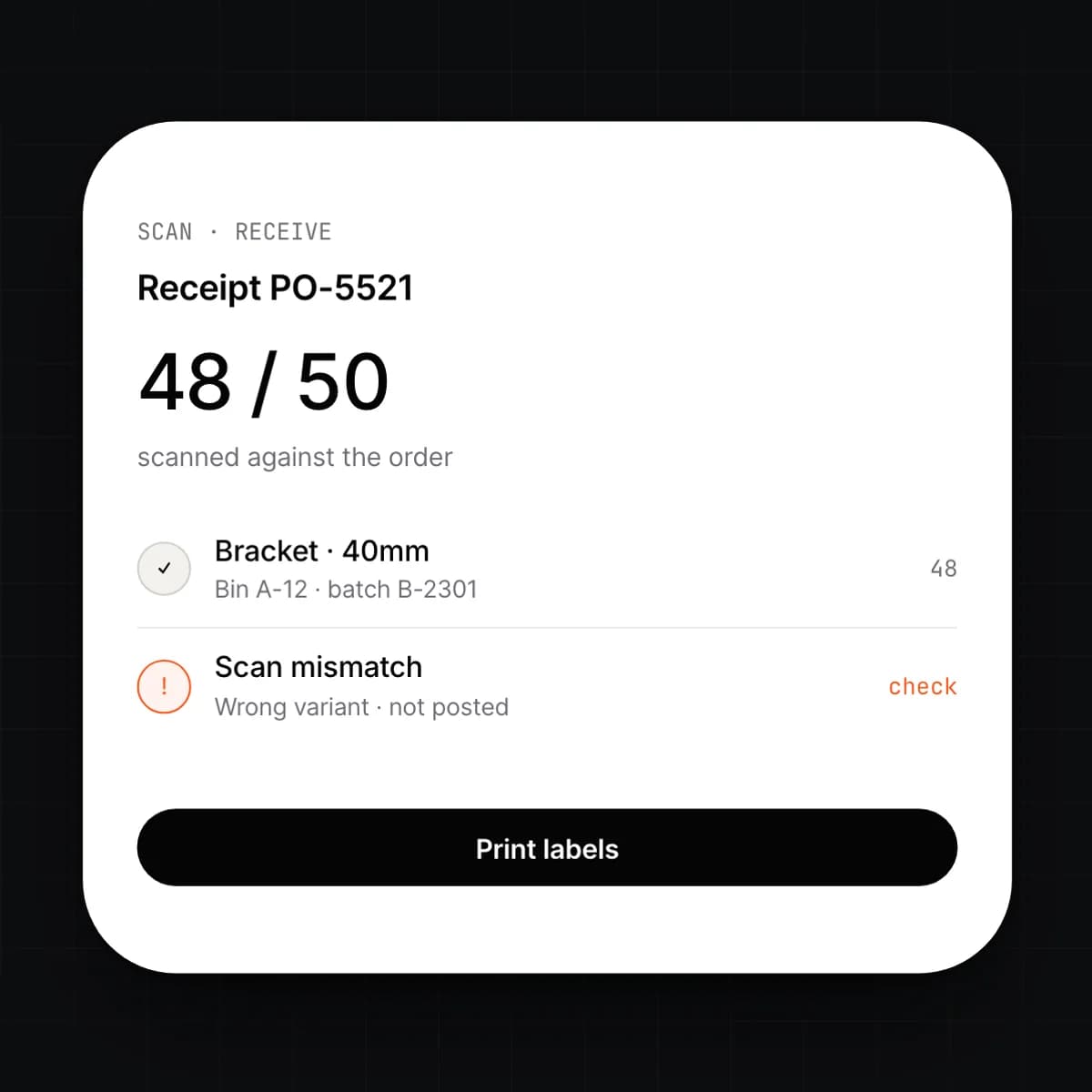
    Every receipt, move, pick, count and consumption can be confirmed by scan, from a phone camera or a handheld scanner. The scan updates the record at the moment the stock moves, so the shelf and the system agree. Labels print from the same item and batch data.

    • Works in any browser, on a phone camera or handheld scanner
    • Scan to receive, move, pick, pack and consume
    • Label printing for items, batches, bins and shipments
    • Scan mismatches flagged before the movement posts
  8. 08

    Stock counts and adjustments

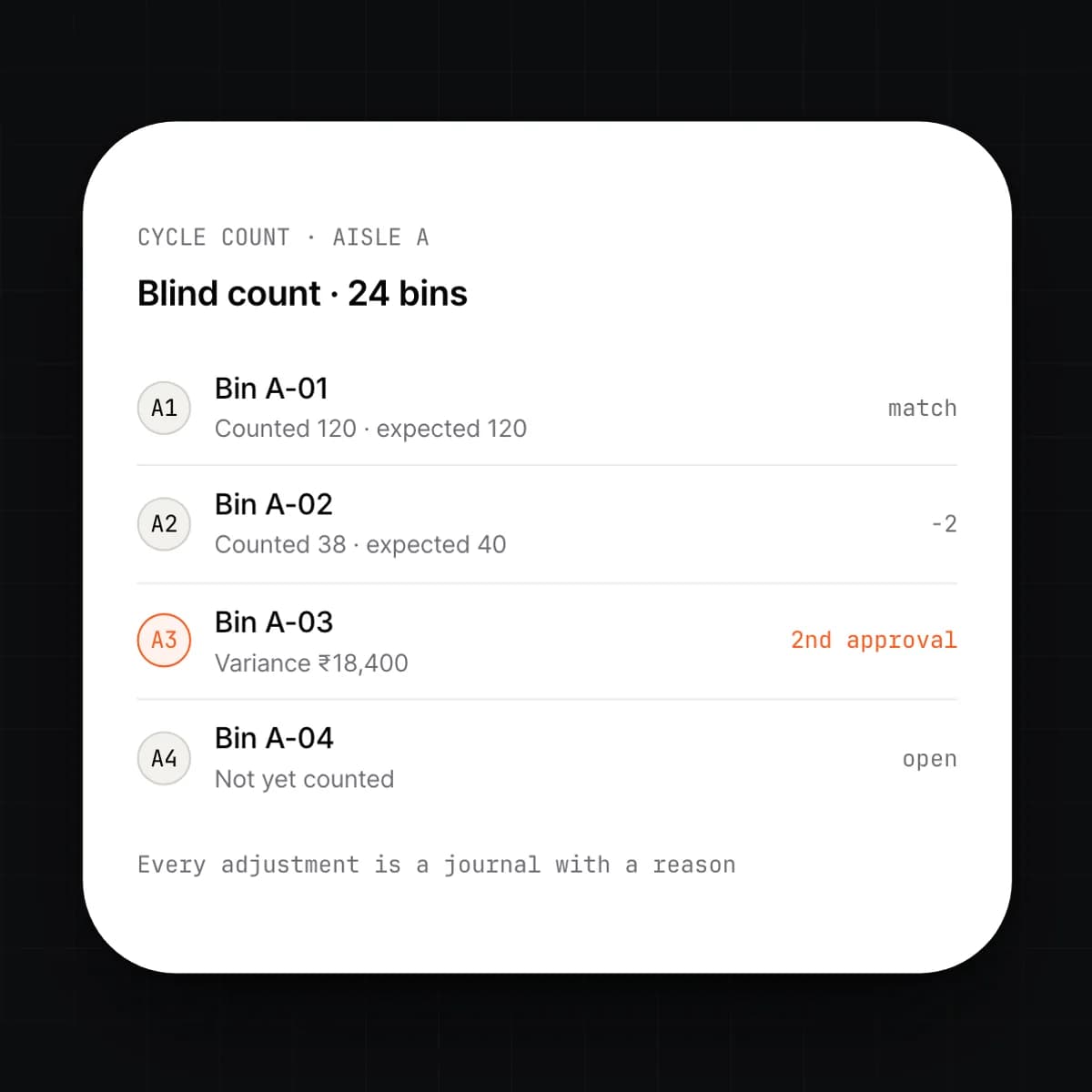
    Schedule full or cycle counts per location and count with a scanner while the warehouse keeps operating. Variances are shown before they post, and an adjustment above the threshold you set needs a second approval. Every adjustment is a journal with a reason.

    • Cycle counts by bin, item class or ABC rank
    • Blind counts with variance review
    • Adjustments as reasoned journals
    • Second approval above a value threshold
  9. 09

    Fulfilment, picking and shipping

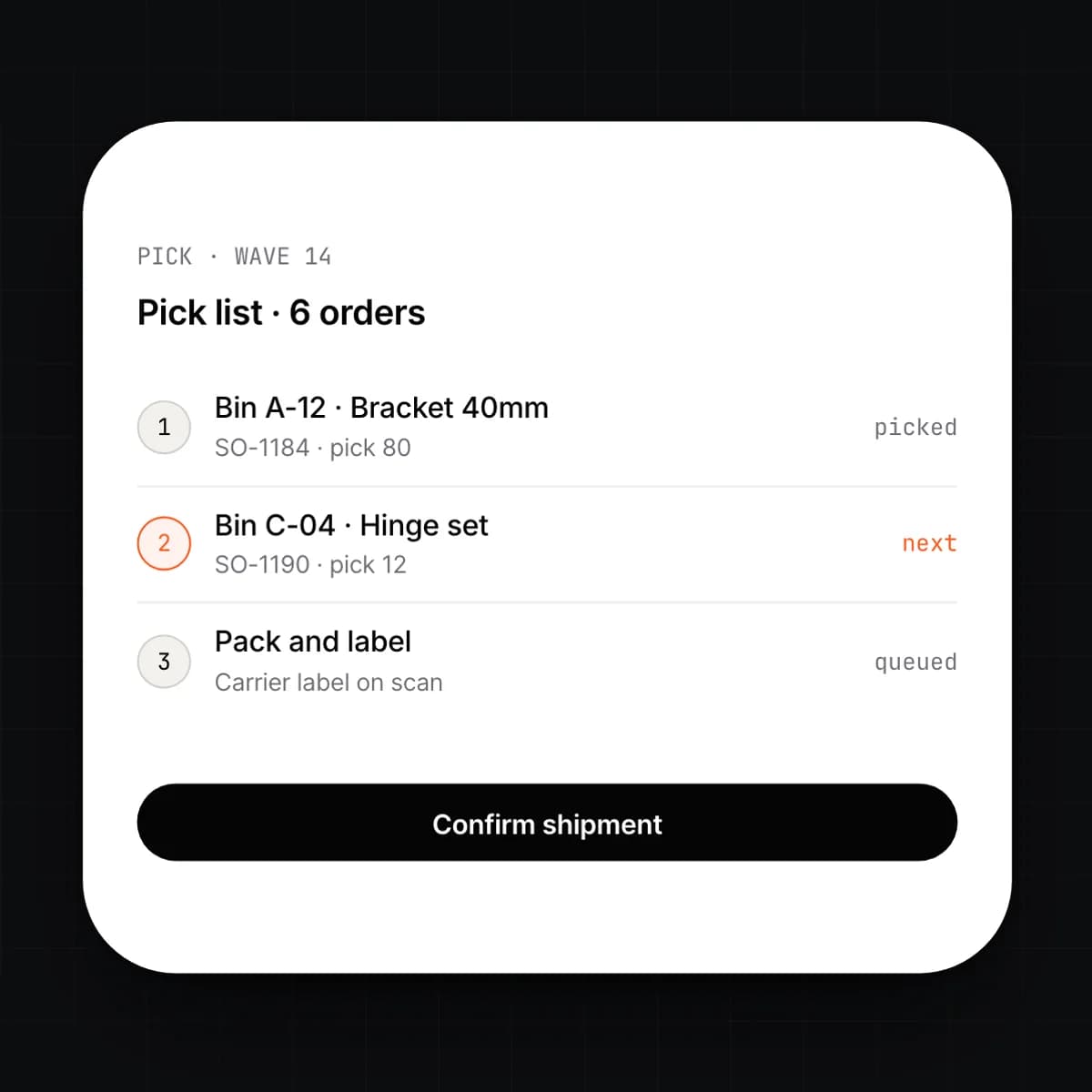
    A confirmed sales order reserves stock and raises a pick, alone or in a wave with others. Picking, packing and the carrier label happen on the scanner. When the shipment leaves, stock is issued, cost of goods sold is posted, and the invoice is raised in Finance.

    • Reservation and allocation across locations
    • Single-order or wave picking with pick paths
    • Packing, carrier labels and partial shipments
    • Shipment posts stock, COGS and the invoice

Capabilities

Every Inventory & Manufacturing feature, at a glance.

9 capabilities, one card each. Open any card to read it in full.

Workflow

A sales order, from reservation to shipped

Five events, one record. The quantity on the shelf changes only when a scan says it did.

  1. 01

    Reserved

    A signed quote in CRM confirms the order. Stock is reserved at the location that can ship it, and anything short raises a purchase order or a work order.

  2. 02

    Made

    The work order reserves components from the bill of materials and the shop floor works through the routing. Consumption posts per operation and the finished goods are received into stock.

  3. 03

    Picked

    The pick is released to a scanner, alone or in a wave. Each scan confirms the item, batch or serial and the bin it came from.

  4. 04

    Packed and checked

    Any pre-shipment quality check runs before the carton is closed. Packing and the carrier label are done on the same device.

  5. 05

    Shipped

    The shipment leaves and stock is issued at its landed cost. Cost of goods sold posts to the ledger and the invoice is raised in Finance without re-entry.

Details

On the spec sheet.

Items
Simple, variant, kit and manufactured; attributes per variant; batch and serial tracked
Locations
Warehouses, bins, vehicles and consignment; transfers with in-transit stock
Procurement
Requisition, purchase order, receipt and three-way match; replenishment by min/max or forecast
Manufacturing
Multi-level BOMs, routings and work centres; work orders with backflush or manual issue
Valuation
FIFO or weighted average per entity; landed cost allocated by value, weight or quantity
Quality
Checks on receipt, in process and before shipping; holds block picking and consumption
Devices
Any browser; phone camera or keyboard-wedge scanner; label printing
Fulfilment
Reservation, wave picking, packing, carrier labels and partial shipment
Permissions
Per location and per action; adjustments above a threshold you set need a second approver

Questions

Asked before signing.

We distribute but do not manufacture. Do we need all of this?

No. Items, locations, procurement, counts and fulfilment work without a bill of materials in sight. Manufacturing is switched on per entity when you need it, and nothing changes for the warehouse when you do.

Which valuation methods are supported?

FIFO or weighted average, chosen per entity. Landed cost is included in the unit cost under either method. Changing method is a ledger event with a posted revaluation, not a setting that rewrites history.

How does batch and serial tracking work?

An item is marked as batch or serial tracked and every movement from then on names the batch or serial. You can trace a serial forward to the customer who received it, or a batch backward to the vendor receipt and the work orders that consumed it. Holds and recalls act on that trace.

What scanners and printers can we use?

Any browser on a phone with a camera, or a handheld scanner that behaves as a keyboard. Labels print to any printer the browser can reach, using the item, batch and bin data on the record. No dedicated terminal is required.

Can stock go negative?

By default a movement that would take a location negative is blocked and the reason is shown. You can allow it per location for cases like a receipt that is physically on the floor before the paperwork arrives. Negative balances are listed until they are resolved.

What happens to work in progress at month end?

Open work orders hold their consumed materials and labour as work in progress on the ledger, so the balance is already there when you close. There is no manual WIP journal to compute. Finishing the order moves the cost to finished goods, and shipping it moves the cost to cost of goods sold.

Early access

One platform to run an entire organization.

We are onboarding a small number of companies this year. Tell us what you run today.